


Quick Summary / Takeaway
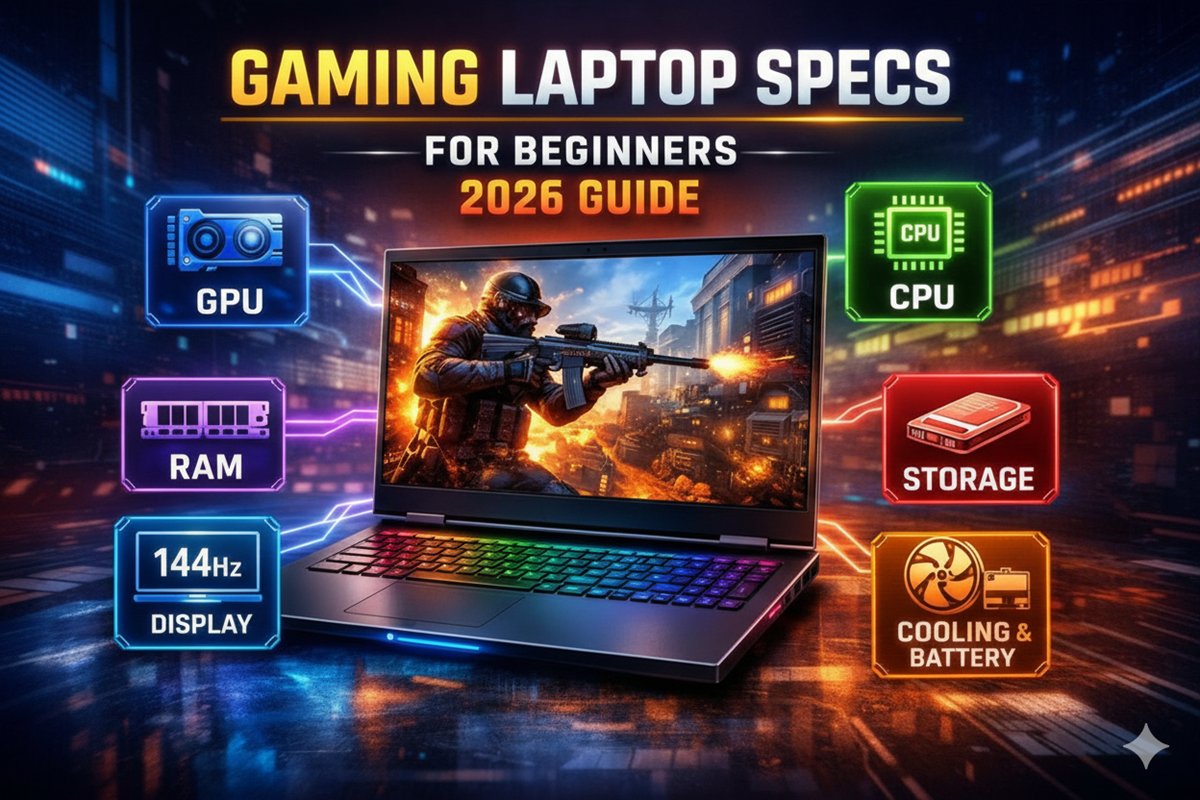
If you are buying your first gaming laptop in 2026, focus mainly on GPU, CPU, RAM, storage, display, and cooling. For most beginners in India, a laptop with RTX 4060 or RTX 5060 GPU, modern 6-core CPU, 16GB DDR5 RAM, NVMe SSD, and 144Hz display provides balanced gaming performance and long-term usability without overspending.
Introduction
Buying your first gaming laptop can feel confusing. Product pages often list technical specifications like GPU, CPU, refresh rate, or DDR5 RAM, which many beginners do not fully understand.
In simple terms, gaming laptop specs are the hardware components that decide how smoothly games run, how sharp graphics look, and how fast your laptop responds. Understanding these specs helps beginners choose the best configuration without wasting money.
This beginner-friendly gaming laptop specs guide explains every major component using easy language and real-world gaming expectations, especially for Indian buyers researching their first gaming laptop.
Want to understand how these specs impact real gaming performance?
Read our complete gaming laptop buying guideWhat Are Gaming Laptop Specs and Why Do They Matter?
Gaming laptop specs refer to the internal hardware components that determine how fast games run, how smooth visuals appear, and how responsive the system feels.
For beginners, the biggest confusion usually happens because:
- Different laptops use similar marketing terms
- Hardware names look technical and complex
- Many buyers don’t know which component impacts gaming most
Understanding gaming laptop specs explained simply means learning which parts directly improve performance and which ones add extra comfort or future upgrade options.
1. GPU (Graphics Card) – The Most Important Gaming Component
What Does GPU Do?
The GPU renders graphics, textures, and visual effects. It directly controls frame rate and visual quality.
For beginners asking what specs to look for in a gaming laptop, GPU should always be the first priority.
GPU Options in 2026
Most gaming laptops use NVIDIA RTX 40 and 50 series GPUs, including:
- RTX 4050
- RTX 4060
- RTX 4070
- RTX 5060 and higher
Which GPU Is Enough?
- 1080p gaming: RTX 4050 or RTX 4060 handles most games smoothly
- 1440p gaming or higher refresh rate: RTX 4070 or higher is better
Important Tip: Check TGP (Total Graphics Power)
Higher TGP usually means stronger performance but also generates more heat and fan noise. Gaming laptops generally offer GPUs ranging between 90W to 175W power levels.
2. CPU (Processor) – The Brain of Your Laptop
What Does CPU Do?
The CPU manages game logic, background applications, physics calculations, and multitasking.
A strong CPU helps maintain stable frame rates, especially in competitive or open-world games.
Common Gaming Laptop CPUs in 2026
- Intel Core i5, i7, i9 H-series or Core Ultra
- AMD Ryzen 5, Ryzen 7, Ryzen 9 HX-series
Minimum CPU for Gaming Laptop
For mainstream gaming:
- Modern 6-core CPUs are usually sufficient
Examples include:
- Intel Core i5-13500H
- AMD Ryzen 7 7840HS
For streaming, video editing, or long-term performance, choose processors with 8 cores or more.
3. RAM (Memory) – Smooth Multitasking and Gameplay
Why RAM Matters
RAM stores temporary game data that CPU and GPU need for fast processing. Insufficient RAM can cause lag or stuttering.
Entry Level Gaming Laptop Specs for RAM
- 16GB DDR5: Minimum recommended in 2026
- 32GB RAM: Ideal if you stream games, edit videos, or want future-proof performance
Another important factor is upgrade flexibility. Some laptops allow RAM upgrades later, while others use soldered memory that cannot be expanded.
4. Storage (SSD) – Faster Load Times and More Game Space
What Storage Type Should You Choose?
Gaming laptops in 2026 mainly use NVMe PCIe SSDs, which load games much faster compared to older storage types.
Minimum Storage for Gaming Laptop
- 512GB SSD: Enough for a few large games
- 1TB or 2TB SSD: Better for multiple AAA titles and software
Many gaming laptops also include extra M.2 slots, allowing storage expansion later.
5. Display – Visual Quality and Smooth Gameplay
Display quality affects how games look and feel during gameplay.
Resolution Options
- Full HD (1920×1080): Best for stable high frame rates
- QHD (2560×1440): Sharper visuals and better detail
Refresh Rate Explained
Refresh rate determines how smoothly motion appears.
- 120Hz or 144Hz provides noticeable improvement over 60Hz
- 165Hz, 240Hz, or 360Hz is useful for competitive gaming like Valorant or CS2
Panel Types
- IPS: Balanced colour accuracy and viewing angles
- OLED: Better contrast and vibrant visuals but requires careful usage to avoid screen burn-in
VRR Technology
Features like G-Sync or FreeSync reduce screen tearing and improve smoothness during gaming.
6. Cooling, Battery Life, and Ports – Practical Performance Factors
Many beginners ignore these features, but they significantly impact real-life usability.
Cooling System
Advanced cooling solutions such as dual-fan systems or vapor chambers help maintain performance during long gaming sessions.
Poor cooling may cause performance drops due to overheating.
Battery Life
Gaming laptops are performance-focused devices.
Typical battery backup:
- 3–6 hours for normal usage
- 1–2 hours during gaming
Essential Ports for Gaming
Look for laptops that include:
- USB-A and USB-C with DisplayPort support
- HDMI 2.1 for external displays
- Ethernet port for stable online gaming
Explore gaming laptops based on your budget.
Explore NowBest Specs for a Gaming Laptop in 2026
For Indian beginners looking for long-term value, this configuration offers strong performance:
| Component | Recommended Spec |
|---|---|
| GPU | RTX 4060 or RTX 5060 |
| CPU | Intel Core i5-13500H / Ryzen 7 7840HS |
| RAM | 16GB DDR5 |
| Storage | 512GB – 1TB NVMe SSD |
| Display | 15.6″ or 16″ FHD/QHD, 144–165Hz |
This setup handles most modern games smoothly and suits students, casual gamers, and entry-level content creators.
Want to understand how these specs impact real gaming performance?
Read our complete gaming laptop buying guideHow to Choose Gaming Laptop Specs Based on Usage?
Casual Gaming
- Focus on mid-range GPU
- 16GB RAM is enough
- FHD display offers better frame rates
Competitive Gaming
- Higher refresh rate display
- Stable CPU performance
- VRR support is useful
Gaming + Content Creation
- 8-core or higher CPU
- 32GB RAM recommended
- Larger storage improves workflow
FAQs – Gaming Laptop Specs Guide
Conclusion
Understanding gaming laptop specs for beginners helps buyers avoid confusion and choose devices that match performance needs and budget. The GPU remains the most important component, followed by CPU, RAM, storage, and display quality.
For most first-time buyers in India, selecting a balanced configuration with 16GB RAM, RTX 4060-class GPU, and modern processors offers reliable performance and long-term usability.
Choosing the right specifications ensures smoother gameplay, better multitasking, and stronger value for money.
Need Help Choosing the Right Gaming Laptop?
If you are planning to buy a gaming laptop but feel confused about specifications or budget options, explore our detailed gaming laptop buying guides and comparisons to find the best option for your needs.