


 Arun Kumar
 Summary / Key Takeaway
- A flash cannot attach directly to a tripod without an adapter.
- You need a cold shoe adapter, mini stand, or swivel bracket.
- Secure the adapter to the tripod’s 1/4″-20 screw mount.
- Lock the flash firmly to avoid movement or damage.
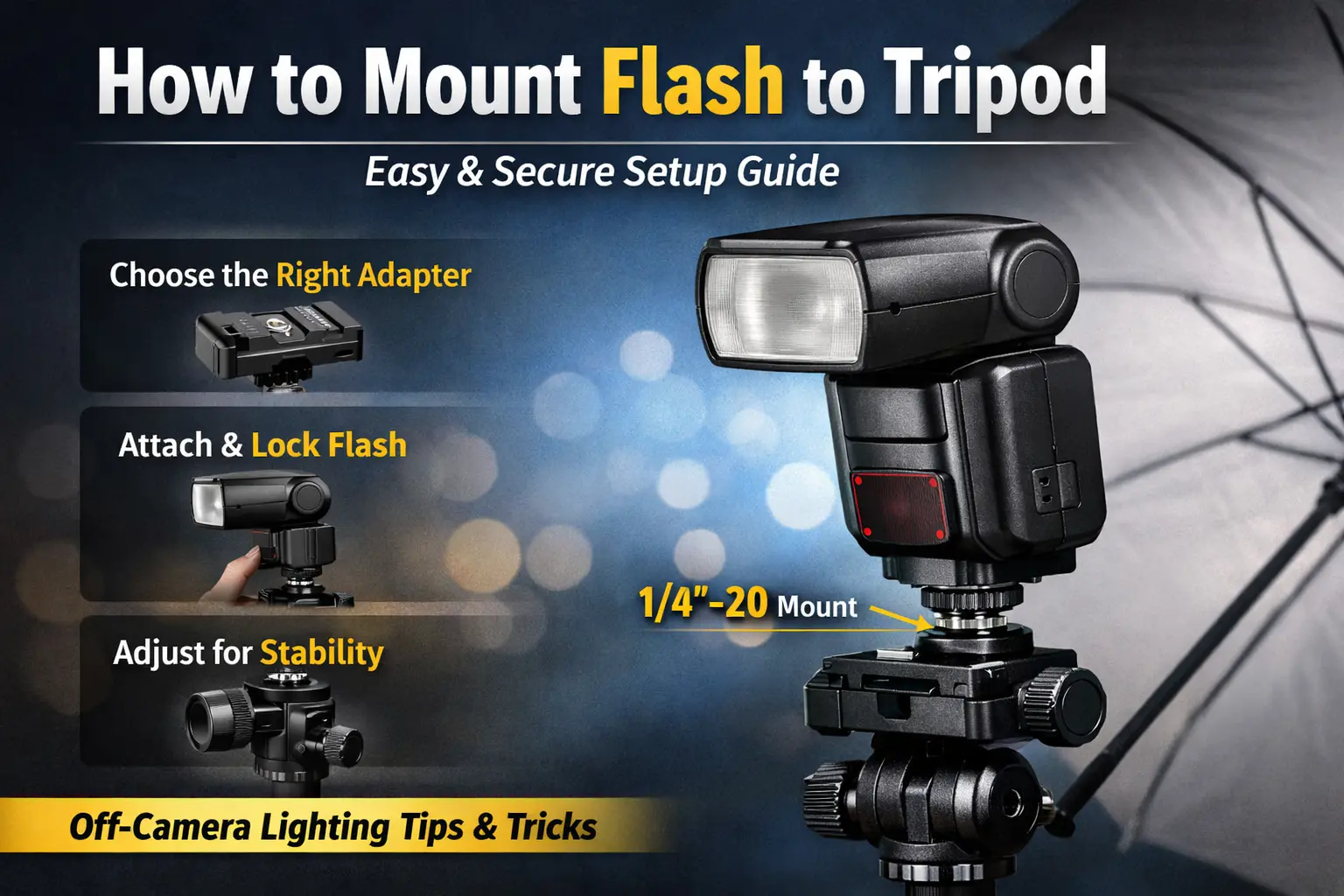
To mount a flash to a tripod, attach a cold shoe adapter or flash bracket to the tripod’s 1/4″-20 screw mount. Then slide the flash’s hot shoe foot into the adapter and lock it in place. Tighten all screws to ensure stability, especially for off-camera lighting setups.
Why Can’t You Attach a Flash Directly to a Tripod?
Most camera flashes (speedlights) use a hot shoe foot, while tripods have a 1/4″-20 threaded screw at the top.
Because these mounts are different, you need an adapter to connect them safely.
This setup is commonly used for off-camera lighting in photography and videography.
What Equipment Do You Need?
Before starting, gather the following:
- A sturdy tripod
- Your external flash (speedlight)
- One of these adapters:
- Flash mini stand/base (often included with flashes)
- Cold shoe to 1/4″ adapter
- Swivel bracket with umbrella holder (for tilt and angle control)
If you’re using a light stand instead of a tripod, you may also need a 1/4″ to 3/8″ adapter.
Step-by-Step: How to Attach Flash to Tripod
1. Set Up the Tripod
- Place the tripod on a stable surface.
- Extend the legs and lock them securely.
2. Attach the Adapter
- Screw the cold shoe adapter or bracket onto the tripod’s top mounting screw.
- Turn it clockwise until tight, but avoid over-tightening.
3. Mount the Flash
- Slide the flash’s hot shoe foot into the cold shoe slot.
- Push it fully until it clicks into place.
- Tighten the flash locking wheel or screw.
4. Adjust the Angle
- If using a swivel bracket, tilt or rotate the flash as needed.
- Lock the position firmly.
Tips for Stability and Safety
- Double-check all screws before turning the flash on.
- Use a swivel bracket for better angle control.
- Heavy flashes or umbrellas require extra tightening.
- Some Sony/Minolta flashes may not fit certain brackets — confirm compatibility first.
A secure setup prevents wobbling and protects your gear.
When Should You Mount a Flash on a Tripod?
Mounting a flash on a tripod is useful for:
- Portrait photography
- Product shoots
- YouTube or content creation
- Indoor low-light setups
It helps create controlled, professional lighting without holding the flash.
Conclusion
Mounting a flash to a tripod is simple once you use the correct adapter. Attach a cold shoe or bracket to the tripod, slide in the flash, and tighten everything securely. This method provides stable, off-camera lighting for better creative control.
Explore Tripod Buying Guides
FAQ’s
Ready to Improve Your Lighting?
Get a compatible cold shoe adapter or swivel bracket today and start using off-camera flash for sharper, more professional photos.