




 Arun Kumar
 Last Updated on July 10, 2026 by Arun Kumar
Summary (Quick Takeaways)
If you’re short on time, here’s what you need to know:
- A USB microphone is generally the better choice for creators who record at a desk using a laptop or desktop. It typically delivers richer voice quality and is easy to set up.
- A lavalier (collar) microphone is ideal for creators who record with a smartphone, move while filming, or need a hands-free recording setup.
- For most beginners, the best choice depends on three factors:
- Your recording device (phone or computer)
- Your content style (mobile or desk-based)
- Your budget
- Both microphone types offer a significant improvement over a built-in smartphone or camera microphone.
- As your YouTube channel grows, many creators eventually use both microphones for different recording situations.
Introduction
Good audio can make a bigger difference to your YouTube videos than an expensive camera. While many beginners focus on video quality first, viewers are often more likely to stop watching because of unclear or noisy audio.
If you’ve started researching microphones, you’ve probably noticed that lavalier (collar) microphones and USB microphones are among the most recommended options. However, choosing between them isn’t always straightforward. One is designed for mobility and hands-free recording, while the other is built to deliver excellent voice quality in a fixed recording setup.
So, which microphone is better for YouTube videos?
The answer depends on how you create content. A travel vlogger has different audio needs than a gaming creator, online teacher, or podcaster. Your recording device, filming style, and budget all play an important role in deciding which microphone will give you the best results.
In this guide, you’ll learn the key differences between a lavalier microphone and a USB microphone, compare their features side by side, understand where each one performs best, and discover which option makes the most sense for beginner YouTubers in India.
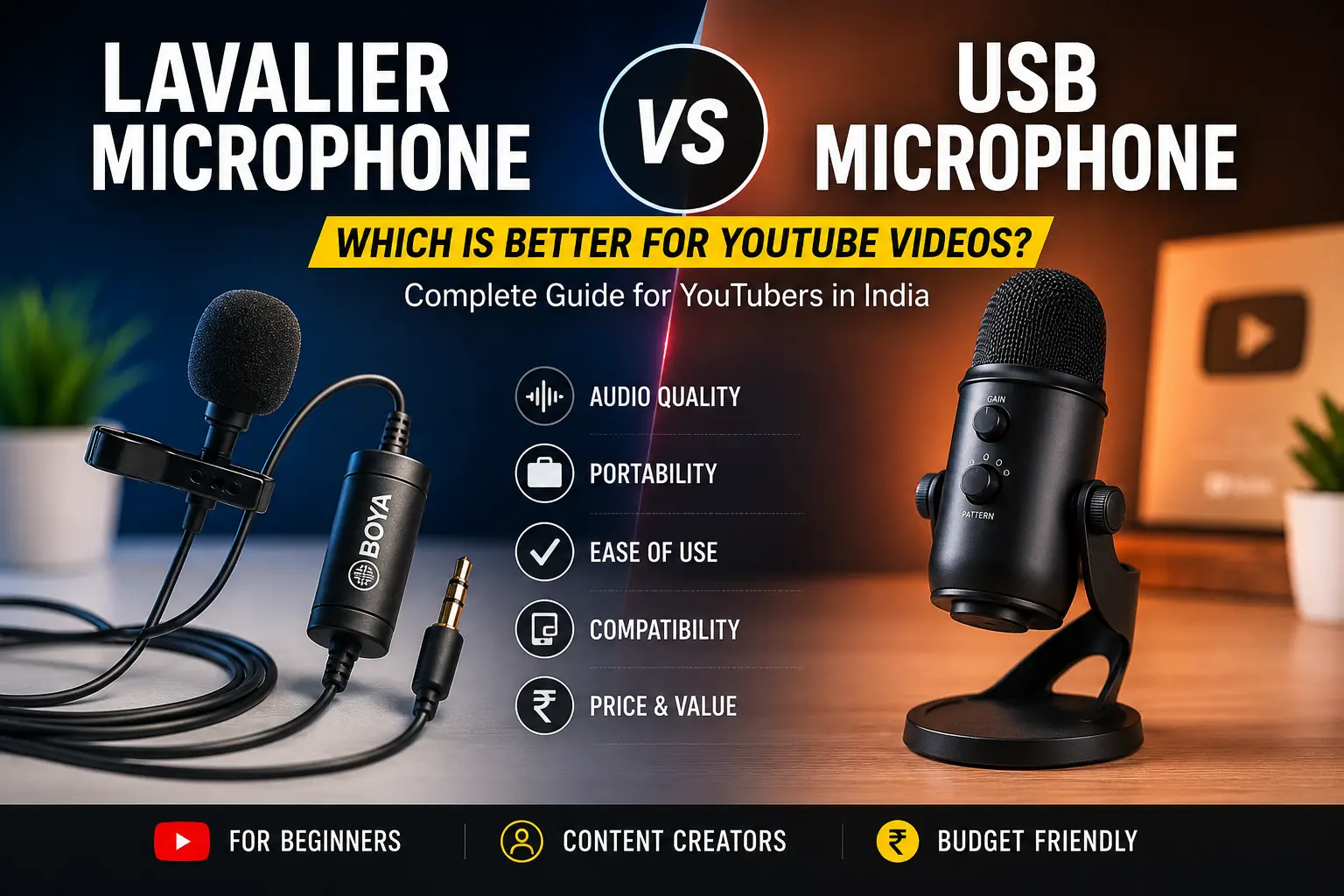
Lavalier vs USB Microphone at a Glance
A USB microphone is usually the better option if you record tutorials, gaming videos, podcasts, or talking-head content from a laptop or desktop because it generally delivers richer and more consistent voice quality. A lavalier microphone is the better choice for vlogging, interviews, outdoor videos, and smartphone recording where portability and hands-free operation are more important.
Lavalier Microphone vs USB Microphone Comparison
| Feature | Lavalier Microphone | USB Microphone |
|---|---|---|
| Best For | Vlogging, interviews, travel videos, mobile filming | Tutorials, gaming, podcasts, voiceovers, desk setups |
| Recording Device | Smartphone, camera, laptop (with compatible adapter) | Laptop and desktop (phones usually require an OTG adapter) |
| Portability | Excellent – clips onto clothing and allows movement | Limited – designed for stationary recording |
| Audio Quality | Very good when placed close to the mouth | Excellent with fuller and richer voice reproduction |
| Movement During Recording | Ideal for walking and moving around | Best when sitting at a desk |
| Setup | Easy (wireless models require pairing) | Plug-and-play for most computers |
| Typical Price in India | ₹800–₹6,000 | ₹1,500–₹8,000+ |
| Wireless Option | Available | Not applicable |
| Ideal Distance | Around 6–8 inches from your mouth | Around 6–12 inches from the microphone |
Bottom line: If your videos involve movement, a lavalier microphone is usually the better investment. If you mostly record indoors while sitting at your desk, a USB microphone is likely to produce better voice recordings.
What Is a Lavalier Microphone? (And How Does It Work for YouTube?)
A lavalier microphone, also known as a collar mic, clip-on mic, or lapel microphone, is a small microphone that clips onto your shirt, collar, or jacket close to your mouth. Because the microphone stays at a consistent distance from your voice, it captures clear speech while allowing you to move naturally during recording.
For beginner YouTubers, a lavalier microphone is one of the easiest ways to improve audio quality without carrying large recording equipment.
How Does a Lavalier Microphone Work?
Instead of sitting on a desk, a lavalier microphone remains attached to your clothing. Since it stays close to your mouth throughout the recording, your voice remains consistent even while walking or turning your head.
Depending on the model, lavalier microphones may use:
- Omnidirectional pickup for capturing sound from multiple directions.
- Unidirectional (cardioid) pickup for focusing more on your voice.
- Wired connections through compatible connectors.
- Wireless transmission using a transmitter and receiver system for greater freedom of movement.
Wired vs Wireless Lavalier Microphones
| Wired Lavalier | Wireless Lavalier |
| More affordable | Higher price |
| No battery required | Battery-powered |
| Direct connection to your device | Greater freedom of movement |
| Ideal for beginners | Better for active creators and outdoor filming |
If you’re creating videos using a smartphone and have a limited budget, a wired lavalier microphone can be a practical starting point. If your content involves walking, presenting, or filming outdoors, a wireless model offers greater flexibility.
Best Use Cases for Lavalier Microphones
A lavalier microphone is especially suitable for:
- Travel and daily vlogging
- Outdoor content creation
- Interview videos
- Cooking channels
- DIY and craft demonstrations
- Product reviews
- Fitness and training videos
- Educational videos where you move around while teaching
Because your hands remain free, it’s particularly useful for creators who need to interact with products, cook, demonstrate techniques, or walk while speaking.
What Is a USB Microphone? (And How Does It Work for YouTube?)
A USB microphone is a desktop microphone that connects directly to a computer through a USB port. Unlike traditional XLR microphones, it includes a built-in analog-to-digital converter, allowing your computer to recognize it without requiring additional audio equipment.
For beginners who create YouTube videos from a laptop or desktop, a USB microphone is often one of the simplest ways to achieve professional-sounding voice recordings.
How Does a USB Microphone Work?
A USB microphone captures your voice, converts the audio into a digital signal inside the microphone itself, and sends it directly to your computer through a USB connection.
Most beginner USB microphones are designed to be plug-and-play, making setup quick without needing an external audio interface.
Many models also feature cardioid pickup patterns that focus primarily on your voice while reducing unwanted sounds from the sides and behind the microphone.
USB Microphone Compatibility
USB microphones work best with:
- Windows laptops
- Mac computers
- Desktop PCs
Some USB microphones can also work with Android smartphones using a compatible OTG adapter or USB-C connection, although compatibility depends on both the microphone and the phone. This is an important consideration if you primarily record on a mobile device.
Best Use Cases for USB Microphones
USB microphones are ideal for creators producing:
- Talking-head YouTube videos
- Educational tutorials
- Gaming videos
- Live streams
- Podcasts
- Screen-recording tutorials
- Voiceovers
- Online courses
Since these types of videos are typically recorded from a fixed position, a USB microphone can consistently capture detailed and natural-sounding voice recordings with minimal setup.
Lavalier vs USB Microphone — Detailed Comparison by Factor
Now that you understand how both microphone types work, let’s compare them side by side. Instead of focusing on technical specifications alone, this comparison looks at the factors that matter most to beginner YouTubers in India—audio quality, portability, ease of use, compatibility, pricing, and long-term value.
Audio Quality: Which Microphone Sounds Better?
Verdict: A USB microphone generally delivers richer and more detailed voice recordings for stationary setups, while a lavalier microphone provides consistently clear speech when you’re moving around during filming.
Although many people assume USB microphones always sound better, the reality is slightly more nuanced.
USB microphones often feature larger microphone capsules and are designed specifically for voice recording at a desk. This allows them to capture greater vocal detail and a fuller sound, making them an excellent choice for:
- Talking-head videos
- Tutorials
- Podcasts
- Gaming commentary
- Voiceovers
A lavalier microphone, however, sits just a few inches below your mouth. Because the distance between your voice and the microphone stays consistent, it can produce very clear dialogue even while you’re walking or turning your head.
Wireless lavalier microphones may introduce slight compression during transmission, but for most beginner YouTube videos, the difference is rarely noticeable.
Best Choice
- Choose a USB microphone if your recordings happen in one location.
- Choose a lavalier microphone if you frequently move while speaking.
Portability and Mobility
Verdict: If mobility is your priority, a lavalier microphone wins easily.
One of the biggest differences between these two microphones is how they are used during recording.
A lavalier microphone clips onto your clothing, allowing you to:
- Walk naturally
- Record while travelling
- Demonstrate products
- Cook while talking
- Film outdoors
- Keep both hands free
In contrast, a USB microphone usually sits on a desk or microphone stand. To maintain consistent audio quality, you need to stay relatively close to it throughout the recording.
This makes USB microphones less suitable for:
- Travel vlogs
- Outdoor videos
- Fitness demonstrations
- Walking videos
Best Choice
If your YouTube channel involves movement, interviews, or filming in different locations, a lavalier microphone offers much greater flexibility.
Ease of Setup for Beginners
Verdict: A USB microphone is usually the simplest option for complete beginners, although wired lavalier microphones are also easy to use.
Most USB microphones are designed as plug-and-play devices. Simply connect them to your computer, select them as the recording device, and start recording.
Lavalier microphones are also beginner-friendly, but the setup depends on the model.
USB Microphone
Pros
- Plug-and-play
- Minimal configuration
- Stable recording setup
- Ideal for laptops and desktops
Wired Lavalier
Pros
- Affordable
- No charging required
- Simple connection
Wireless Lavalier
Wireless systems provide greater freedom but require additional steps such as:
- Charging transmitter and receiver
- Pairing devices
- Checking battery levels before recording
For beginners creating videos from a desk, USB microphones generally provide the smoothest recording experience.
Background Noise and Room Performance
Verdict: Both microphones reduce unwanted noise differently, and the better choice depends on where you record.
A USB microphone with a cardioid pickup pattern focuses primarily on your voice while reducing sounds coming from the sides and rear.
This makes it well suited for:
- Bedrooms
- Home offices
- Indoor studios
Lavalier microphones reduce background noise in a different way.
Because they’re positioned close to your mouth, your voice remains much louder than surrounding sounds. However, they can sometimes pick up:
- Clothing rustling
- Jewellery noise
- Wind outdoors
Using a foam windshield or wind muff can significantly improve outdoor recordings.
Pro Tip
Regardless of which microphone you choose, recording in a quieter room with soft furnishings can noticeably improve your audio quality.
Price and Value for Money in India
Verdict: Lavalier microphones offer a lower entry price, while USB microphones often provide better value for creators producing desk-based content.
Here’s a general idea of beginner-friendly pricing in India.
| Budget | Recommended Option |
|---|---|
| Under ₹1,500 | Entry-level wired lavalier microphones |
| ₹1,500–₹4,000 | Budget USB microphones or wireless lavaliers |
| ₹4,000–₹8,000+ | Premium USB microphones and advanced wireless lavalier systems |
Pricing may vary depending on features, wireless capability, accessories, and where you purchase the microphone.
If your budget is limited and you film using a smartphone, starting with a wired lavalier microphone is often the most economical choice.
If you mainly record from a laptop, investing slightly more in a USB microphone can provide better long-term value.
Device Compatibility: Smartphone vs Laptop vs Camera
Verdict: Your recording device should be one of the first factors you consider before buying a microphone.
If You Record with a Smartphone
A lavalier microphone is generally the more practical option.
Many models are designed specifically for smartphones and offer quick setup with compatible connectors.
Although some USB microphones work with Android devices using OTG adapters, compatibility isn’t guaranteed across every phone.
If You Record with a Laptop or Desktop
USB microphones are usually the easiest option.
Most connect directly through USB and require very little setup before recording.
If You Record with a Camera
Many DSLR and mirrorless cameras support lavalier microphones through a compatible microphone input, making them a popular choice for professional-looking video production.
Quick Recommendation
| Recording Device | Recommended Microphone |
|---|---|
| Smartphone | Lavalier microphone |
| Laptop | USB microphone |
| Desktop PC | USB microphone |
| DSLR or Mirrorless Camera | Lavalier microphone |
Durability and Long-Term Reliability
Verdict: USB microphones generally experience less physical wear, while lavalier microphones require more careful handling because of their compact design.
Lavalier microphones are designed for portability, which means their cables, clips, and connectors are used frequently during recording.
Wireless models also require regular charging and battery maintenance.
USB microphones usually remain on a desk, reducing the chance of accidental damage. With proper care, they can serve creators reliably for many years.
If you regularly travel or shoot outdoors, storing your lavalier microphone in a protective case can help extend its lifespan.
Which Microphone Should You Choose Based on Your Content Type?
There’s no single microphone that’s perfect for every YouTuber. The right choice depends on the type of videos you create most often.
Vloggers and Travel Creators → Choose a Lavalier Microphone
If you’re constantly walking, exploring new places, or filming outdoors, a lavalier microphone allows you to move freely while maintaining consistent voice recording.
Ideal for:
- Daily vlogs
- Travel videos
- Outdoor lifestyle content
Tutorial and Education Channels → Choose a USB Microphone
Creators who teach from a desk or record lessons on a laptop benefit from the detailed voice quality and simple setup of a USB microphone.
Ideal for:
- Online teachers
- Students
- Coaching channels
- Educational YouTube videos
Gaming and Live Streaming → Choose a USB Microphone
Gaming creators usually remain seated close to their computer.
A USB microphone offers better voice clarity and integrates easily with streaming software.
Interview and Podcast Channels → Choose Based on Your Setup
For outdoor interviews or mobile recordings, wireless lavalier microphones provide excellent flexibility.
For indoor podcasts recorded around a desk, USB microphones are generally the better choice.
Cooking, DIY and Product Demonstration Channels → Choose a Lavalier Microphone
If you need both hands free while speaking, a clip-on microphone is far more convenient than sitting in front of a desktop microphone.
This makes lavalier microphones especially useful for:
- Cooking channels
- DIY tutorials
- Craft videos
- Product demonstrations
Talking-Head Videos → Choose a USB Microphone
If your videos consist primarily of speaking directly to the camera from a desk, a USB microphone typically delivers richer, cleaner voice recordings with very little effort.
Smartphone-Only Creators → Choose a Lavalier Microphone
Many beginner creators in India shoot their entire YouTube channel using a smartphone.
In this situation, a lavalier microphone is usually the simplest and most practical upgrade over the built-in phone microphone.
Can You Use Both? The Hybrid Approach Most Creators Eventually Take
The answer is yes—and many experienced creators eventually do.
As your channel grows, you may create different types of content that require different recording setups.
For example:
- Use a USB microphone for tutorials, voiceovers, livestreams, and podcasts.
- Use a lavalier microphone for travel videos, outdoor shoots, interviews, and product demonstrations.
If you’re just starting out, there’s no need to buy both immediately.
Instead, purchase the microphone that matches the type of videos you create most often. As your content expands, you can always add the second microphone to your setup later.
This approach helps you stay within your budget while building a recording setup that grows with your YouTube channel.
How to Improve Audio Quality With Either Microphone
Even the best microphone won’t deliver great results without proper recording techniques.
1. Position Your Microphone Correctly
- Clip a lavalier microphone around 6–8 inches below your chin.
- Place a USB microphone 6–12 inches from your mouth, slightly off-center to reduce popping sounds.
2. Reduce Background Noise
For indoor recordings:
- Turn off fans and unnecessary appliances.
- Choose a quiet room.
- Soft furnishings such as curtains, carpets, and cushions can help reduce echo.
For outdoor recordings:
- Use a foam windshield or furry windscreen.
- Avoid recording directly into strong wind.
3. Monitor Your Recording Levels
Before recording your full video:
- Record a short test clip.
- Check for distortion or clipping.
- Adjust microphone gain if necessary.
- Listen with headphones whenever possible.
4. Clean Up Audio During Editing
Even beginner-friendly editing software offers tools to improve sound quality.
Basic adjustments include:
- Noise reduction
- Equalization (EQ)
- Light compression
- Volume normalization
These simple edits can make your YouTube videos sound much more polished without requiring expensive equipment.
Final Verdict — Should You Buy a Lavalier or a USB Microphone for YouTube?
If you’re still deciding between a lavalier microphone vs USB microphone for YouTube, the best choice comes down to how you create your videos—not which microphone is more expensive.
Here’s a simple decision framework:
✅ Choose a Lavalier Microphone If You:
- Record videos using a smartphone.
- Create travel, lifestyle, or daily vlogs.
- Film while walking or moving around.
- Need a hands-free recording solution.
- Produce cooking, fitness, DIY, or product demonstration videos.
- Frequently record interviews or outdoor content.
✅ Choose a USB Microphone If You:
- Record from a laptop or desktop.
- Create tutorials, online courses, or educational videos.
- Produce podcasts or voiceovers.
- Stream games or record commentary videos.
- Primarily film talking-head videos from a desk.
The good news is that both microphone types are a significant upgrade over your phone’s or camera’s built-in microphone. As your YouTube channel grows, many creators eventually own both—a USB microphone for indoor recording and a lavalier microphone for mobile content.
Instead of trying to buy everything at once, choose the microphone that matches the type of videos you create most often. You can always expand your setup later as your content evolves.
Frequently Asked Questions (FAQs)
1. Is a lavalier microphone better than a USB microphone for YouTube?
Neither microphone is universally better. A lavalier microphone is better for creators who record while moving or using a smartphone, whereas a USB microphone is generally the better choice for desk-based videos, podcasts, tutorials, and gaming because it delivers richer voice recordings in a fixed setup.
2. Can I use a USB microphone with my smartphone?
Some USB microphones can work with Android smartphones using a compatible OTG adapter or USB-C connection. However, compatibility depends on both your smartphone and the microphone, so always check the manufacturer’s specifications before purchasing.
3. Which microphone is best for YouTube videos on a budget?
If you’re recording with a smartphone, an entry-level wired lavalier microphone is usually the most affordable option. If you’re recording on a laptop or desktop, an entry-level USB microphone often provides better long-term value for indoor content creation.
4. Do I need both a lavalier microphone and a USB microphone?
Not when you’re starting out.
Most beginners only need one microphone. Buy the one that suits your primary recording style. As your channel grows and you begin creating different types of videos, adding a second microphone can make your setup more versatile.
5. What is the best microphone for beginner YouTubers in India?
There isn’t a single microphone that’s best for everyone.
- Smartphone creators should generally start with a lavalier microphone.
- Laptop and desktop creators usually benefit more from a USB microphone.
Choosing the right microphone for your recording setup will have a greater impact than simply buying the most expensive option.
6. Should I buy a wired or wireless lavalier microphone?
A wired lavalier microphone is a practical choice if you’re on a tight budget and don’t need to move far from your recording device.
A wireless lavalier microphone is better if you regularly create travel videos, interviews, presentations, or outdoor content where freedom of movement is important.
7. Is a lavalier microphone good enough for professional YouTube videos?
Yes. A lavalier microphone can produce excellent voice recordings when positioned correctly close to your mouth. Many professional creators use wireless lavalier systems for interviews, documentaries, presentations, and vlogs because they provide clear audio while allowing complete freedom of movement.
8. Can I connect a lavalier microphone to my laptop?
Yes, provided the microphone uses a compatible connector or adapter supported by your laptop. Some wired models connect directly, while others may require an adapter depending on your device.
9. What’s the difference between a lavalier microphone and a USB microphone?
A lavalier microphone clips onto your clothing and is designed for mobile, hands-free recording. A USB microphone sits on a desk and connects directly to a computer, making it better suited for stationary recordings like tutorials, podcasts, and gaming videos.
10. Is a USB microphone clearer than a lavalier microphone?
In most desk-based recording environments, a USB microphone generally produces richer and more detailed audio.
However, when you’re moving around while filming, a lavalier microphone often delivers more consistent voice quality because it remains close to your mouth throughout the recording.
11. Which microphone is better for gaming YouTube videos?
A USB microphone is usually the preferred choice for gaming content because gamers typically record from a desk using a computer. It provides excellent voice clarity with a simple plug-and-play setup.
12. Why does my lavalier microphone pick up clothing noise?
This usually happens when the microphone rubs against clothing, jackets, scarves, jewellery, or zippers.
To minimise rustling noise:
- Clip the microphone securely.
- Keep it away from loose fabric.
- Use the supplied clip correctly.
- Check its position before recording.
13. How can I reduce background noise with a USB microphone?
For cleaner recordings:
- Record in a quiet room.
- Close doors and windows.
- Turn off fans or noisy appliances.
- Position the microphone correctly.
- Use basic noise reduction during editing if necessary.
These simple steps can significantly improve the overall quality of your recordings.
14. Why doesn’t my USB microphone work with my Android phone?
Many USB microphones require an OTG adapter or USB-C connection, and not every smartphone supports external USB audio devices.
Always verify compatibility between your phone and the microphone before purchasing.
15. How far can a wireless lavalier microphone transmit audio?
Wireless transmission distance varies depending on the model, but many consumer wireless lavalier microphones offer ranges from approximately 50 to 250 metres under suitable conditions.
Conclusion
Choosing between a lavalier microphone vs USB microphone for YouTube doesn’t have to be complicated.
If your content involves movement, outdoor filming, or smartphone recording, a lavalier microphone offers the flexibility and convenience you need. If you create tutorials, podcasts, gaming videos, or talking-head content from a laptop or desktop, a USB microphone is likely to provide better voice quality with a simple recording setup.
Rather than asking “Which microphone is better for YouTube videos?”, ask yourself “Which microphone fits the way I create content?”
Making that decision will help you invest wisely and improve your audio quality from your very first video.
Continue Building Your YouTube Setup
Choosing the right microphone is only one part of creating high-quality YouTube videos.
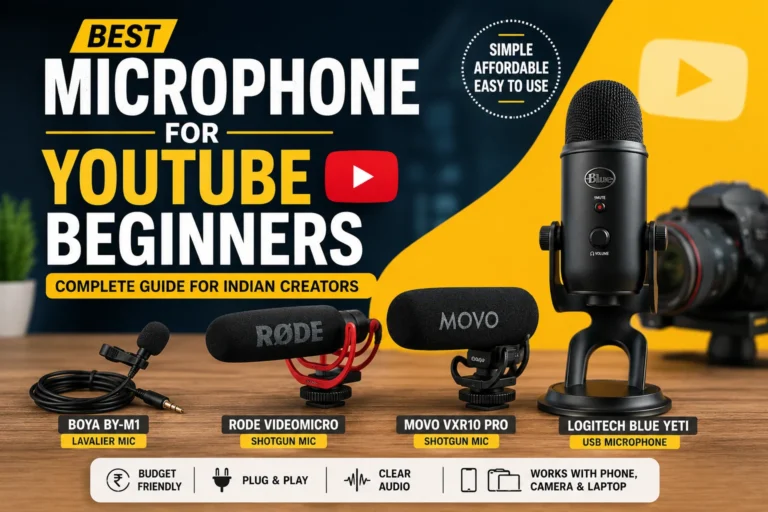
If you’re looking for more beginner-friendly recommendations, don’t miss our detailed guide on Best Microphone for YouTube Beginners in India, where we’ve compared budget-friendly microphones for different creators, recording styles, and price ranges to help you find the perfect option for your setup.
Whether you’re a vlogger, educator, gamer, or aspiring content creator, the right equipment can make recording easier and help your videos sound more professional from day one.