




 Arun Kumar
 Last Updated on July 10, 2026 by Arun Kumar
Quick Summary
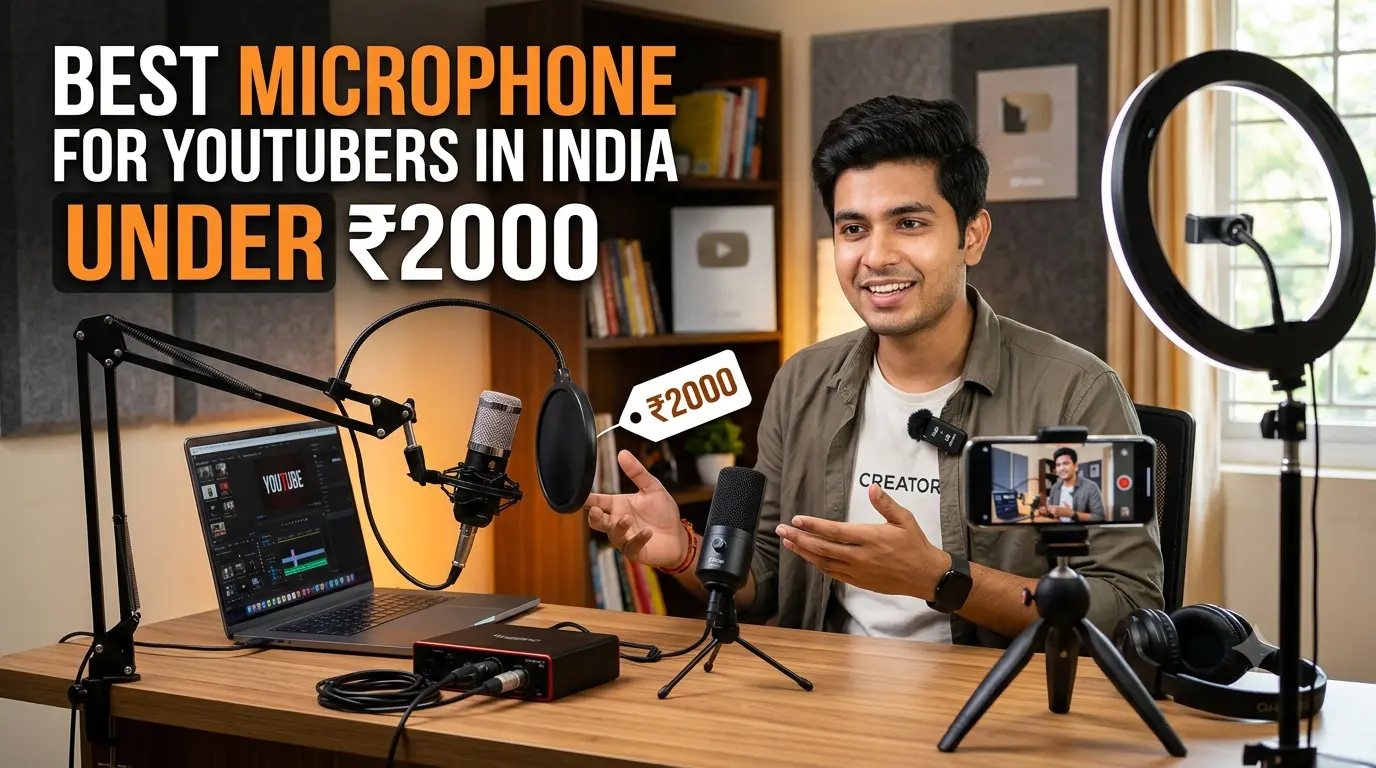
If you’re starting a YouTube channel in India, you don’t need to spend ₹10,000 or more on professional audio gear. A well-chosen microphone under ₹2,000 can dramatically improve your voice quality compared to your phone’s built-in microphone, making your videos sound clearer and more professional.
For most beginners, the Boya BY-M1 remains the best all-round wired microphone thanks to its excellent compatibility and reliable voice recording. If you primarily shoot YouTube Shorts, Instagram Reels, or walking vlogs on an Android phone, a wireless option like the pTron KWM-1 offers outstanding convenience without exceeding your budget.
This guide compares the best microphones available in India, explains which type suits your recording style, and helps you avoid buying a microphone that isn’t compatible with your device.
Affiliate Disclosure: Some links in this guide may be affiliate links. If you purchase a product through them, souravjoshivlogs.in may earn a small commission at no extra cost to you. Every recommendation is based on practical research, real-world usability, compatibility, and value for Indian creators—not on sponsorships.
Finding a good microphone for YouTube under ₹2,000 isn’t as easy as it should be.
Most buying guides recommend products that cost ₹5,000, ₹10,000, or even ₹20,000—great if you’re already an established creator, but not much help when you’re just starting out. On the other hand, many online marketplaces simply list dozens of microphones without explaining which one actually fits your recording setup.
That’s exactly why this guide exists.
Whether you’re creating:
- YouTube Shorts
- Educational tutorials
- Gaming commentary
- Vlogs
- Product reviews
- Tech videos
- Interviews
- Podcast-style content
you’ll find recommendations that actually fit an Indian beginner’s budget.
Unlike many international buying guides, every recommendation here focuses on products that are widely available in India and offer excellent value for money.
Our Top Picks at a Glance
If you simply want to know which microphone to buy today, here’s the short answer.
For most new YouTubers, the Boya BY-M1 offers the best combination of audio quality, compatibility, and price. If your content is mostly mobile-first, a wireless Type-C microphone like the pTron KWM-1 is a better long-term investment.
| Microphone | Type | Approx. Price | Best For | Compatibility |
|---|---|---|---|---|
| Boya BY-M1 | Wired Lavalier | ₹900–₹1,200 | All-round YouTube beginners | Android, DSLR, Laptop (adapter may be required) |
| Maono AU-PM360TR | Condenser | ₹1,700–₹2,000 | Voice-over, tutorials, gaming | Laptop, PC |
| Maono AU-400 | Wired Lavalier | ₹500–₹800 | Ultra-budget creators | Phones, Laptop |
| pTron KWM-1 | Wireless Type-C | ₹800–₹1,000 | Shorts, Reels, Mobile Vlogging | Android Type-C |
| Utection / VOOK LM1 | Dual Wireless | Around ₹2,000 | Interviews & Podcasts | Android / Type-C |
| Grenaro S13 Series | Wireless | ₹1,600–₹2,000 | Walking Vlogs | Android/iPhone (variant dependent) |
Our Top Recommendations
🏆 Best Overall: Boya BY-M1
📱 Best for Mobile Creators: pTron KWM-1
🎙️ Best for Voice-over & Tutorials: Maono AU-PM360TR
👥 Best for Interviews: Utection / VOOK LM1
💰 Best Budget Pick: Maono AU-400
Do You Actually Need a Microphone for YouTube?
The short answer is yes—but not always immediately.
Many successful YouTubers like Sourav Joshi uploaded their first few videos using nothing more than their smartphone. However, as your content improves, audio quality quickly becomes one of the biggest factors influencing viewer retention.
Research consistently shows that viewers are more willing to tolerate average video quality than poor audio.
Think about it.
You might watch a slightly blurry video if the information is valuable.
But if the audio echoes, sounds distant, or is filled with background noise, most viewers leave within seconds.
Why Phone and Camera Microphones Aren’t Enough
Internal microphones are designed for convenience—not content creation.
Common problems include:
- Echo in empty rooms
- Fan or AC noise
- Traffic sounds
- Wind interference outdoors
- Low recording volume
- Inconsistent voice levels
- Picking up every surrounding sound instead of your voice
Even an affordable lavalier microphone clipped close to your mouth can make your voice sound significantly cleaner and easier to understand.
When a ₹2,000 Microphone Is More Than Enough
Not every creator needs expensive equipment.
A budget microphone is usually perfect if you create:
- Talking-head YouTube videos
- Educational tutorials
- Digital marketing content
- Screen recordings
- Gaming commentary
- Online classes
- YouTube Shorts
- Instagram Reels
- Facebook videos
- Indoor vlogs
For these types of content, improving voice clarity matters much more than achieving studio-grade audio.
When You Shouldn’t Buy a Microphone Yet
Surprisingly, purchasing a microphone isn’t always the best first investment.
If your recordings suffer from:
- Loud ceiling fans
- Constant traffic noise
- Large echoing rooms
- Poor lighting
- Incorrect phone placement
those issues may have a bigger impact on video quality than the microphone itself.
Sometimes recording closer to your phone, adding curtains or cushions to reduce echo, and using basic noise reduction during editing can improve your audio more than buying another inexpensive microphone.
A microphone enhances good recording practices—it doesn’t replace them.
Types of Microphones You Can Buy Under ₹2,000
Choosing the right microphone isn’t just about price. It also depends on how and where you create content.
Here’s what you’ll typically find in this budget range.
| Type | Typical Price | Best For | Pros | Limitations |
|---|---|---|---|---|
| Wired Lavalier | ₹500–₹1,200 | Talking-head videos, tutorials | Excellent value, reliable | Cable management |
| Wireless Type-C | ₹800–₹2,000 | Mobile vlogging, Shorts | Freedom of movement | Quality varies by brand |
| Mini Condenser | ₹1,500–₹2,000 | Voice-over, gaming | Rich desktop audio | Not suitable for walking |
| Dual Wireless | Around ₹2,000 | Interviews | Two transmitters | Slightly higher price |
Wired Lavalier (Clip-on) Microphones
A lavalier microphone—often called a lapel or clip-on microphone—is a small microphone that clips onto your shirt close to your mouth.
Because it’s positioned just a few inches away from your voice, it captures much cleaner speech than a phone or camera microphone placed several feet away.
This is why creators, educators, and interviewers continue to rely on lavalier microphones even after upgrading their cameras.
The Boya BY-M1 is one of the best examples in this category and has become a trusted choice for beginner YouTubers across India.
USB-C Plug-and-Play Wireless Microphones
Wireless microphones have become increasingly popular thanks to YouTube Shorts and Instagram Reels.
Most budget models now include:
- Plug-and-play setup
- USB-C receiver
- Automatic pairing
- Basic AI/DSP noise reduction
- Rechargeable battery
- Portable charging case
If you frequently record while walking, showcasing products, or filming outside, a wireless microphone offers much greater flexibility than a wired setup.
Budget Wireless 2.4GHz Microphones
This is where many buyers make unrealistic assumptions.
A genuinely high-quality wireless system typically costs between ₹3,000 and ₹10,000.
While there are several options under ₹2,000, they often involve trade-offs such as:
- Shorter battery life
- Limited transmission range
- Plastic build quality
- Less effective noise reduction
- Inconsistent quality control
That doesn’t mean they’re bad—it simply means you should choose them for convenience rather than expecting premium audio performance.
ALSO READING: Lavalier Microphone vs USB Microphone for YouTube: Which One Should You Buy?
Mini Condenser Microphones
If your YouTube setup revolves around a desk—recording tutorials, gaming videos, podcasts, or voice-overs—a compact condenser microphone can be a smarter investment than a wireless microphone.
Placed close to your mouth, these microphones capture fuller, richer vocal recordings while keeping your setup clean and simple.
The Maono AU-PM360TR is one of the strongest options in this price range for desktop creators.
How to Choose the Right ₹2,000 Microphone
The best microphone isn’t necessarily the most expensive one—it’s the one that matches how you create content.
Instead of asking, “Which microphone is best?”, ask yourself these four questions.
1. What Device Do You Record On?
Your recording device determines the type of microphone you should buy.
Android Smartphone
Choose a USB-C wireless microphone or a TRRS lavalier with a quality USB-C adapter.
iPhone
Check whether your iPhone uses Lightning or USB-C before purchasing. Not every budget microphone supports both.
DSLR or Mirrorless Camera
A wired lavalier such as the Boya BY-M1 is often the safest and most compatible choice.
Laptop or Desktop
A condenser microphone delivers better voice quality for tutorials, meetings, livestreams, and gaming content.
2. What Type of Videos Do You Create?
Different content styles benefit from different microphone designs.
| Content Type | Recommended Microphone |
|---|---|
| YouTube Shorts | Wireless Type-C Mic |
| Vlogging | Wireless Clip-on Mic |
| Tutorials | Boya BY-M1 |
| Gaming | Maono AU-PM360TR |
| Voice-over | Condenser Mic |
| Interviews | Dual Wireless Mic |
3. Do You Mostly Record Indoors or Outdoors?
Indoor recordings usually prioritize vocal clarity and room acoustics, making wired lavalier or condenser microphones excellent choices.
Outdoor creators, however, benefit more from the freedom of wireless microphones—especially when walking, demonstrating products, or capturing dynamic shots.
4. Is ₹2,000 Your Final Budget?
If ₹2,000 is your absolute limit, there are several excellent options in this guide.
However, if you can stretch your budget slightly in the future, you’ll gain access to microphones with noticeably better battery life, stronger wireless connections, and improved noise reduction.
We’ll cover those upgrade options later in this guide.
Best Microphones for YouTube Under ₹2,000 in India – Detailed Reviews
Now that you know which type of microphone suits your content, let’s look at the best options you can actually buy in India. Instead of simply listing products, we’ve evaluated each microphone based on five factors that matter most to beginner creators:
- Audio quality
- Compatibility
- Ease of use
- Build quality
- Overall value for money
How We Selected These Picks
Every microphone below was shortlisted based on current availability in India, price-to-performance ratio, compatibility with common recording devices, user feedback, and suitability for beginner YouTubers. Since online prices fluctuate regularly, always verify the latest price before purchasing.
Boya BY-M1 – Best Overall Microphone Under ₹2,000
Best For: YouTube beginners, tutorials, talking-head videos, interviews, online classes
Approximate Price
₹900–₹1,200 (varies during sales)
Compatibility
- Android smartphones (adapter may be required)
- DSLR cameras
- Mirrorless cameras
- Laptops
- PCs
- Audio recorders
One of the biggest reasons the Boya BY-M1 has remained a bestseller for years is its versatility. Whether you’re filming with a phone today or upgrading to a camera later, this microphone continues to be useful.
Sound Quality
For its price, the Boya BY-M1 delivers surprisingly clean voice recordings.
Since the microphone clips close to your mouth, it naturally reduces room echo and captures speech more clearly than your phone’s internal microphone. Your voice sounds fuller, louder, and much easier for viewers to understand.
Don’t expect studio-quality audio—but compared to recording directly on your phone, the difference is immediately noticeable.
Build Quality
The microphone feels lightweight but durable enough for everyday use.
Highlights include:
- 6-meter cable
- Metal microphone capsule
- Foam windscreen
- Shirt clip
- Battery module
- Carry pouch
The long cable gives you plenty of freedom when recording tutorials or standing farther away from the camera.
Pros
- Excellent value for money
- Works with multiple devices
- Long recording cable
- Clean and natural voice capture
- Widely trusted by beginner creators
- Easy to set up
Cons
- Cable can become messy during mobile shooting
- Requires a quality adapter for newer phones without a headphone jack
- Battery must be switched correctly between smartphone and camera mode
Who Should Buy It?
Buy the Boya BY-M1 if you want one microphone that works almost everywhere.
Whether you’re creating educational videos, SEO tutorials, online courses, tech reviews, or YouTube videos from home, it’s still the safest purchase under ₹1,200.
Our Verdict: If you can buy only one microphone today, this is the one we’d recommend to most beginner YouTubers.
Maono AU-PM360TR – Best for Voice-over, Gaming & Desk Recording
Best For: Gaming, podcasts, tutorials, voice-over, livestreams
Approximate Price
₹1,700–₹2,000
Compatibility
- ✅ Windows PC
- ✅ Mac
- ✅ Laptop
- ✅ Recording software
- ⚠️ Not designed for mobile vlogging
Sound Quality
Unlike a lavalier microphone, the Maono AU-PM360TR sits on your desk and captures rich, detailed vocals when positioned correctly.
If your YouTube channel focuses on:
- Screen recording tutorials
- Software demonstrations
- Gaming commentary
- Educational videos
- Podcast recordings
this microphone delivers noticeably better vocal depth than most clip-on microphones.
For the best results, keep the microphone about 6–8 inches from your mouth.
Build Quality
The AU-PM360TR offers a more premium feel than many budget microphones.
Its compact desktop design makes it easy to integrate into a home studio without taking up much space.
Pros
- Rich vocal tone
- Great for desktop recording
- Plug-and-play convenience
- Excellent for livestreams
- Ideal for voice-over work
Cons
- Not suitable for outdoor videos
- Picks up room echo if your room isn’t treated
- Limited mobility
Who Should Buy It?
Choose this microphone if you primarily record while sitting at your desk.
For gaming channels, tutorial creators, educators, and digital marketers, it offers some of the best sound quality available under ₹2,000.
Maono AU-400 – Best Budget Microphone Under ₹1,000
Best For: Beginners on a tight budget
Approximate Price
₹500–₹800
Compatibility
- Android phones
- Laptops
- Cameras (depending on adapter)
- PCs
Sound Quality
If your budget is extremely limited, the Maono AU-400 is an excellent starting point.
It won’t outperform the Boya BY-M1, but it still captures much cleaner audio than your smartphone’s built-in microphone.
For voiceovers, tutorials, and online meetings, it offers impressive value considering its low price.
Build Quality
The construction is fairly basic, but that’s expected in this price segment.
With careful handling, it should last long enough for beginner content creation.
Pros
- Very affordable
- Better than phone audio
- Lightweight
- Easy to use
Cons
- Average cable quality
- Less durable
- Lower overall audio quality than BY-M1
Who Should Buy It?
If you’re launching your first YouTube channel and want to improve your audio without spending much, the AU-400 is a smart entry-level option.
Best Wireless Microphones Under ₹2,000
Wireless microphones have become incredibly popular thanks to YouTube Shorts, Instagram Reels, Facebook videos, and mobile vlogging.
The biggest advantage?
No cables.
You can walk, demonstrate products, shoot B-roll, or record fitness videos without worrying about tangled wires.
That said, ultra-budget wireless microphones also come with compromises. Battery life, wireless range, and build quality vary significantly between brands.
Here are the models that offer the best balance of convenience and value.
pTron KWM-1 – Best Wireless Microphone for Android Creators
Best For: Mobile vlogging, Shorts, Reels, travel videos
Approximate Price
₹800–₹1,000
Compatibility
- ✅ Android smartphones with USB-C
- ❌ iPhones (unless using a compatible variant)
Sound Quality
Considering its price, the pTron KWM-1 performs surprisingly well.
Its built-in DSP noise reduction helps reduce light background noise, making your voice clearer when recording indoors or in relatively quiet outdoor environments.
It’s not designed for noisy streets or crowded markets, but for everyday content creation, it performs far better than expected.
Wireless Performance
- Around 25-meter transmission range
- Stable connection
- Low latency
- Approximately 5-hour battery life
For solo creators, that’s more than enough for a full day of recording.
Pros
- Excellent value
- Plug-and-play setup
- Lightweight
- No complicated pairing
- Compact charging solution
Cons
- Android Type-C only
- Limited battery compared to premium models
- Noise reduction has its limits
Who Should Buy It?
If most of your content is recorded on your Android phone, this is easily one of the best wireless microphones you can buy under ₹1,000.
Editor’s Choice for Mobile Creators
Utection / VOOK LM1 – Best Dual Wireless Microphone
Best For: Interviews, podcasts, collaborations, client videos
Approximate Price
₹1,800–₹2,000
Compatibility
- Android Type-C devices
- Selected iPhone variants (check before buying)
Sound Quality
Unlike single-transmitter microphones, the LM1 includes two transmitters, allowing two people to record simultaneously.
This makes conversations sound much more natural since each speaker has their own microphone instead of sharing one.
Voice quality is clean enough for YouTube interviews, business videos, podcasts, and client testimonials.
Battery & Range
Many models include:
- Charging case
- Long standby time
- DSP noise reduction
- Omnidirectional pickup
- Stable wireless connection
Pros
- Records two people simultaneously
- Good value
- Portable charging case
- Easy setup
Cons
- Slightly above ₹2,000 during some sales periods
- Quality varies slightly between sellers
Who Should Buy It?
If you regularly film interviews, collaborations, or podcast-style content, spending a little more on a dual-channel system is well worth it.
Grenaro S13 Series – Best Budget Wireless Alternative
Best For: Everyday mobile creators
Approximate Price
₹1,500–₹2,000
Compatibility
Available in multiple connector options, including:
- USB-C
- Lightning
- Some TRRS-compatible models
Always verify the connector before ordering.
Sound Quality
Grenaro’s S13 series has become increasingly popular because it offers features typically found in more expensive wireless microphones.
Depending on the model, you’ll find:
- AI noise reduction
- Charging case
- Automatic pairing
- Portable receiver
- Compact transmitter
Performance is generally good indoors, though quality control can vary slightly between units.
Pros
- Feature-rich
- Good battery life
- Convenient charging case
- Compact design
Cons
- Quality consistency varies
- Brand support isn’t as established as Boya or Maono
Who Should Buy It?
If you want a modern wireless microphone without spending more than ₹2,000, the Grenaro S13 series is worth considering.
Best Wireless Microphone for YouTube Vlogging Under ₹2,000
Many first-time creators search specifically for the best wireless microphone for YouTube vlogging, hoping to find a premium solution within a tight budget.
Here’s the reality:
Reliable wireless microphones under ₹2,000 do exist—but they’re best suited for beginners. While they offer excellent convenience, they won’t match the audio consistency or transmission stability of premium models costing ₹4,000 or more.
If your budget cannot exceed ₹2,000, these are the top recommendations:
| Creator Type | Recommended Mic |
|---|---|
| Solo mobile vlogger | pTron KWM-1 |
| Two-person interviews | Utection / VOOK LM1 |
| General YouTube Shorts | Grenaro S13 Series |
If you can stretch your budget by another ₹1,000–₹2,000 in the future, you’ll unlock noticeably better battery life, stronger wireless range, and improved noise reduction.
Wired vs. Wireless Microphones – Which Should You Choose?
This is one of the most common questions beginners ask.
The answer depends entirely on how you create content.
| Feature | Wired Lavalier | Wireless Microphone |
|---|---|---|
| Audio reliability | ⭐⭐⭐⭐⭐ | ⭐⭐⭐⭐☆ |
| Ease of setup | ⭐⭐⭐⭐☆ | ⭐⭐⭐⭐⭐ |
| Freedom of movement | ⭐⭐☆☆☆ | ⭐⭐⭐⭐⭐ |
| Battery required | No | Yes |
| Best for desk recording | Excellent | Good |
| Best for walking vlogs | Poor | Excellent |
| Price-to-performance under ₹2K | Excellent | Good |
Choose a Wired Microphone If:
- You mainly record indoors.
- You create tutorials or educational videos.
- You want the best audio quality for the lowest price.
- Reliability matters more than mobility.
Choose a Wireless Microphone If:
- You create YouTube Shorts or Instagram Reels.
- You frequently record outdoors.
- You use a gimbal or selfie stick.
- You prefer a cable-free setup.
Our Final Recommendation
If you’re still undecided, here’s the simplest advice:
- Buy the Boya BY-M1 if you want the most versatile and dependable microphone for YouTube under ₹2,000.
- Buy the pTron KWM-1 if your content is primarily mobile-first and you value the freedom of wireless recording.
- Choose the Utection/VOOK LM1 if you often record with a second person and need dual-channel audio.
How to Connect a Budget Microphone to Your Phone, DSLR, or Laptop
Buying the right microphone is only half the job. The other half is making sure it’s connected correctly. Surprisingly, many beginners leave negative reviews simply because they used the wrong adapter or connector.
Here’s how to set up your microphone based on your recording device.
Connecting to an Android Phone (USB-C)
Most modern Android smartphones—including Samsung Galaxy, Redmi, Realme, OnePlus, Vivo, Oppo, Motorola, and iQOO—no longer have a 3.5mm headphone jack. That means compatibility depends on the type of microphone you buy.
If you’re using a wired microphone (e.g., Boya BY-M1)
- Connect the microphone to a high-quality USB-C to 3.5mm audio adapter (not just a charging adapter).
- Plug the adapter into your phone.
- Open your Camera app or preferred recording app.
- Record a short test clip and confirm that your phone is using the external microphone.
Pro Tip: Some Android phones work better with apps like Open Camera or Dolby On, which offer more control over external microphone input.
If you’re using a wireless USB-C microphone (e.g., pTron KWM-1)
- Insert the receiver into your phone’s USB-C port.
- Turn on the transmitter.
- Wait a few seconds for automatic pairing.
- Start recording—most models work without additional apps.
Connecting to an iPhone
Compatibility depends on your iPhone model.
Older iPhones (Lightning Port)
Use a Lightning-compatible microphone or an Apple-certified Lightning to 3.5mm adapter.
Newer iPhones (USB-C)
Choose a USB-C microphone or use a compatible USB-C audio adapter.
Always verify the connector type before purchasing, as many budget microphones are available in separate USB-C and Lightning versions.
Connecting to a DSLR or Mirrorless Camera
This is where the Boya BY-M1 really shines.
- Set the microphone switch to Camera mode.
- Connect it to the camera’s 3.5mm microphone input.
- Clip the microphone close to your collar.
- Record a quick sample and monitor the audio levels if your camera supports headphone output.
A wired lavalier microphone often produces cleaner dialogue than relying on your camera’s built-in microphone, especially when you’re standing several feet away from the lens.
Connecting to a Laptop or Desktop
For desktop creators, setup is usually straightforward.
Wired Lavalier
- Plug the microphone into the headset or microphone jack.
- Select it as the default input device in your operating system.
USB Condenser Microphone
Most models are plug-and-play.
Simply:
- Connect the microphone.
- Wait for your computer to recognize it.
- Select it inside your recording software (OBS Studio, Audacity, Adobe Audition, etc.).
- Adjust the input volume if necessary.
Common Connection Problems (and Quick Fixes)
| Problem | Possible Solution |
|---|---|
| Phone isn’t detecting the microphone | Check if your adapter supports audio, not just charging. |
| Audio sounds muffled | Position the microphone closer to your mouth and ensure the foam windscreen isn’t covering the capsule. |
| No sound from DSLR | Confirm the microphone is switched to Camera mode (if applicable). |
| Wireless microphone disconnects | Recharge both the transmitter and receiver before recording. |
| Only one side records | Check whether your device requires a TRRS or TRS connector and use the correct adapter if needed. |
Tips to Get Better Audio Quality Even With a Budget Mic
A ₹1,000 microphone used correctly can outperform a ₹10,000 microphone used poorly.
Here are a few practical tips that make a noticeable difference.
Keep the Microphone Close to Your Mouth
Distance is one of the biggest factors affecting audio quality.
Aim to keep your microphone around 15–20 cm (6–8 inches) from your mouth whenever possible. The closer it is, the clearer your voice will sound.
Record in a Softer Room
Hard surfaces create echoes that even expensive microphones can’t eliminate.
Simple improvements include:
- Closing curtains
- Adding cushions or rugs
- Recording in a room with bookshelves or furniture
- Turning off noisy appliances
These small changes can make your recordings sound much more professional.
Record in a Softer Room
Hard surfaces create echoes that even expensive microphones can’t eliminate.
Simple improvements include:
- Closing curtains
- Adding cushions or rugs
- Recording in a room with bookshelves or furniture
- Turning off noisy appliances
These small changes can make your recordings sound much more professional.
Avoid Wind Noise Outdoors
Even a gentle breeze can ruin outdoor recordings.
A basic foam windscreen or furry windshield is an inexpensive accessory that significantly reduces wind interference during vlogs and travel videos.
Watch Your Input Volume
If your recording level is too high, your voice may distort. If it’s too low, you’ll need to boost it later, which can increase background noise.
Do a quick test recording before every shoot and adjust your microphone placement or input level if necessary.
Clean Up Audio During Editing
Free software can noticeably improve budget recordings.
Popular options include:
- Audacity – Noise reduction and basic editing
- DaVinci Resolve – Video editing with built-in audio tools
- Adobe Podcast Enhance – AI-powered speech enhancement (great for voice-focused recordings)
A few minutes of post-processing often produces a cleaner, more polished result.
Common Mistakes Beginners Make When Buying a Budget Microphone
Avoiding these mistakes will save you money—and a lot of frustration.
Buying Based Only on Price
The cheapest microphone isn’t always the best value. Spending an extra ₹300–₹500 can often result in noticeably better audio quality and durability.
Ignoring Device Compatibility
One of the most common reasons for returns is purchasing a microphone with the wrong connector.
Always check whether your device requires:
- USB-C
- Lightning
- 3.5mm TRRS
- 3.5mm TRS
before placing your order.
Expecting Studio-Quality Audio
A ₹2,000 microphone can produce excellent results for YouTube, but it won’t deliver the same performance as professional audio systems costing several times more.
Setting realistic expectations helps you appreciate the improvements these microphones do offer.
Skipping User Reviews
Product specifications tell only part of the story.
Before buying, read recent customer reviews to identify recurring issues such as battery life, build quality, or compatibility problems.
Forgetting About Accessories
Depending on your setup, you may also need:
- USB-C or Lightning audio adapter
- Tripod
- Smartphone holder
- Pop filter
- Foam windscreen
- Carrying case
Budgeting for these accessories ensures a smoother recording experience.
When Should You Upgrade Beyond ₹2,000?
Budget microphones are an excellent starting point, but there comes a stage where upgrading makes sense.
Consider moving to a higher price range if you:
- Upload videos consistently every week
- Earn revenue from YouTube or client work
- Record outdoors frequently
- Need stronger noise reduction
- Film interviews regularly
- Want dual-channel wireless audio with greater reliability
By increasing your budget to ₹3,000–₹5,000, you’ll typically gain:
- Better wireless stability
- Longer battery life
- Improved microphones and preamps
- Superior noise reduction
- More durable construction
- Better accessories and charging cases
If your channel is growing, upgrading your microphone is often one of the smartest investments you can make.
Frequently Asked Questions
Final Verdict
If you’re serious about growing your YouTube channel, investing in a dedicated microphone is one of the smartest upgrades you can make. Better audio helps viewers stay engaged, builds trust, and gives your videos a more polished, professional feel.
Here’s a quick recap of our top recommendations:
- Best Overall: Boya BY-M1 – The most versatile choice for beginners using smartphones, cameras, or laptops.
- Best Wireless: pTron KWM-1 – Ideal for YouTube Shorts, Reels, and mobile-first creators.
- Best for Voiceovers: Maono AU-PM360TR – Perfect for tutorials, gaming, and desk-based recording.
- Best Ultra-Budget Pick: Maono AU-400 – A reliable option for creators on a very tight budget.
- Best for Interviews: Utection / VOOK LM1 – A practical dual-channel solution for podcasts, interviews, and collaborations.
Before you click Buy Now, double-check the microphone’s connector type and ensure it’s compatible with your recording device. Spending a few extra minutes verifying compatibility can save you from unnecessary returns and disappointment.
Whether you’re launching your first YouTube channel or upgrading from your phone’s built-in microphone, any of these recommendations can noticeably improve your content without stretching your budget.
Continue Your YouTube Creator Journey
If you found this guide helpful, explore these beginner-friendly resources next:
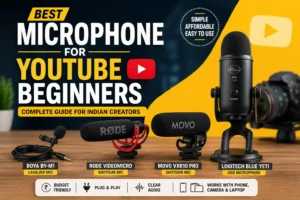
- Best Microphone for YouTube Beginners in India: A Complete Buying Guide
- Best Cameras for Beginner YouTubers in India
- Best Microphone for Background Noise Reduction
- How to Start a YouTube Channel in India
- Best Tripods for Beginner YouTubers in India
- How to Start Vlogging on YouTube: Step-by-Step Guide 2025
These guides will help you build a complete content creation setup without overspending.