




 Arun Kumar
 Last Updated on July 10, 2026 by Arun Kumar
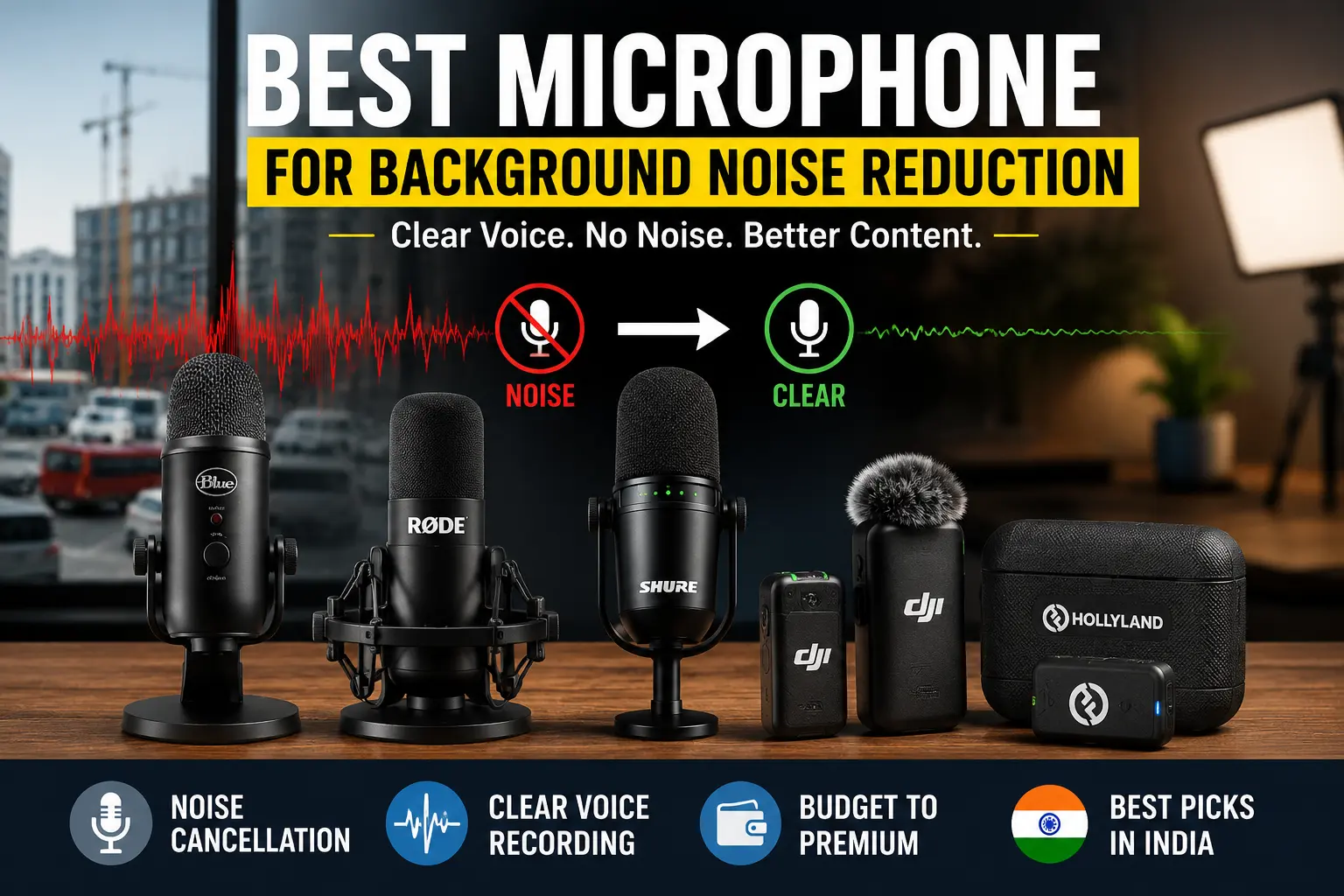
Background noise can ruin an otherwise great recording. Whether it’s traffic outside your window, a noisy ceiling fan, keyboard clicks, construction work, or people talking in the next room, unwanted sounds can make your voice difficult to understand and reduce the overall quality of your content.
The good news is that you don’t always need an expensive studio to achieve clean audio. Choosing the best microphone for background noise reduction starts with understanding how microphones capture sound, what “noise cancellation” actually means, and which type of microphone works best for your recording environment.
In this guide, you’ll learn:
- The best microphones for reducing background noise in India
- The difference between ENC, ANC, and noise suppression
- Why dynamic microphones usually outperform condensers in noisy rooms
- How to choose the right microphone based on your use case
- Practical tips to improve your recordings without spending more money
Whether you’re a YouTuber, podcaster, online teacher, gamer, streamer, journalist, or work-from-home professional, this guide will help you make an informed decision.
Best Microphones for Background Noise Reduction at a Glance
If you’re short on time, here are our top recommendations based on performance, price, and suitability for different recording scenarios.
| Category | Recommended Microphone | Type | Approx. Price (₹) | Best For |
|---|---|---|---|---|
| Best Overall | Shure MV7+ | Dynamic USB/XLR | ₹25,000–30,000 | Creators, podcasters, professionals |
| Best Budget | Samson Q2U | Dynamic USB/XLR | ₹6,000–8,000 | Beginners, students, WFH |
| Best Wireless | DJI Mic 2 | Wireless Lavalier | ₹28,000–35,000 | Outdoor creators |
| Best for YouTube | DJI Mic Mini | Wireless Lavalier | ₹12,000–15,000 | Mobile creators & vloggers |
| Best USB Mic | FIFINE K688 | Dynamic USB/XLR | ₹7,000–9,000 | Streaming & gaming |
| Best Dynamic Mic | Shure SM58 | Dynamic XLR | ₹9,000–11,000 | Extremely noisy environments |
| Best Mobile Recording | Rode Wireless GO II | Wireless | ₹22,000–27,000 | Interviews & travel vlogging |
| Premium Choice | Shure SM7B | Broadcast Dynamic | ₹38,000–45,000 | Professional studios |
TL;DR: If your primary goal is reducing background noise, choose a dynamic cardioid microphone over a condenser whenever possible. Pair it with proper microphone placement and light software noise suppression for the cleanest recordings.
Why Background Noise Ends Up in Your Recordings
Many people assume that if a microphone advertises “noise cancellation,” it will magically remove every unwanted sound. Unfortunately, that’s not how microphones work.
In reality, every microphone captures sound based on three fundamental factors:
- Sensitivity
- Distance from your voice
- Direction of incoming sound
Understanding these basics will help you choose the right microphone and improve your recordings more than simply buying a more expensive model.
Microphones Hear More Than Just Your Voice
Unlike our brains, microphones can’t automatically decide which sounds matter.
If your room contains:
- traffic
- air conditioner noise
- keyboard clicks
- ceiling fan hum
- children playing
- construction work
the microphone receives all of those sounds at once. Its job is simply to convert sound waves into an electrical signal.
The cleaner your voice is compared to the surrounding sounds, the cleaner your recording will be.
This relationship is commonly referred to as the signal-to-noise ratio (SNR)—the higher your voice level compared to background noise, the better your recording will sound.
Distance Matters More Than Most People Think
One of the biggest mistakes beginners make is placing the microphone too far away.
Imagine these two scenarios:
Recording A
- Microphone is 5 cm from your mouth.
- Your voice is much louder than the room.
Result:
Most background noise becomes far less noticeable.
Recording B
- Microphone is 70 cm away.
- Your voice and room noise reach the microphone at similar levels.
Result:
Everything—including traffic, fans, and echoes—becomes much more audible.
Simply moving the microphone closer to your mouth often improves audio quality more than upgrading to a significantly more expensive microphone.
High Gain Also Amplifies Noise
When your microphone is far away or your voice is quiet, people often increase the microphone gain.
This solves one problem but creates another.
Higher gain doesn’t just amplify your voice—it amplifies everything else, including:
- computer fans
- air conditioners
- keyboard clicks
- room echo
- electrical hum
- distant conversations
Think of gain as increasing the volume of everything the microphone hears.
The goal isn’t to use the highest gain possible. Instead, position the microphone closer to your mouth so less amplification is required.
Microphone Sensitivity Plays a Major Role
Not all microphones are equally sensitive.
Highly sensitive microphones capture:
- subtle vocal details
- breathing
- room ambience
- reflections
- distant sounds
This is excellent inside a professionally treated studio.
However, it becomes a disadvantage in a typical Indian home where background noise is rarely absent.
Less sensitive microphones naturally reject more unwanted room noise because they require you to speak closer to them.
Direction Matters Too
Another important factor is off-axis rejection.
Every microphone has a pickup pattern that determines where it listens.
For example:
- A cardioid microphone primarily records sounds coming from the front.
- Sounds arriving from the sides and rear are significantly reduced.
This means proper positioning can dramatically reduce noises such as:
- mechanical keyboards
- computer fans
- roommates
- television audio
- open windows
We’ll explore pickup patterns in more detail later in this guide.
Why Some People Still Hear Background Noise After Buying an Expensive Mic
One of the most common misconceptions is:
“I bought a ₹20,000 microphone, so background noise should disappear.”
In reality, microphone price isn’t the deciding factor.
A premium condenser microphone placed across the desk may capture far more room noise than a ₹7,000 dynamic microphone positioned just a few inches from your mouth.
Your recording quality depends on the combination of:
- microphone type
- polar pattern
- microphone placement
- recording environment
- gain settings
- room acoustics
The microphone itself is only one part of the equation.
Key Takeaways
If your microphone picks up too much background noise:
- Move the microphone closer to your mouth.
- Reduce unnecessary gain.
- Choose a cardioid microphone.
- Record in the quietest room available.
- Consider a dynamic microphone if your environment is noisy.
These simple adjustments often deliver a bigger improvement than upgrading to a much more expensive microphone.
ENC vs ANC vs Noise Suppression: What’s Actually Different?
If you’ve searched for a microphone online, you’ve probably come across terms like:
- ENC
- ANC
- AI Noise Cancellation
- Noise Suppression
- DSP Noise Reduction
Manufacturers often use these terms interchangeably, making it difficult to understand what you’re actually buying.
The truth is that ENC, ANC, and noise suppression are different technologies, each designed for a different purpose.
Knowing the difference can save you from buying a microphone that doesn’t solve your actual problem.
What Is ENC (Environmental Noise Cancellation)?
Environmental Noise Cancellation (ENC) is a microphone-side technology designed to reduce the background sounds that other people hear from your microphone.
Unlike traditional microphones that simply capture everything around them, ENC uses digital signal processing (DSP) or AI algorithms to identify your voice and suppress surrounding noises before the audio is transmitted.
Common sounds that ENC can reduce include:
- fan noise
- keyboard clicks
- road traffic
- office chatter
- café ambience
- air conditioner hum
ENC is commonly found in:
- wireless lavalier microphones
- Bluetooth headsets
- wireless earbuds
- conferencing microphones
- smartphone microphones
- laptop microphones
Best For
- Online meetings
- Live streaming
- YouTube videos
- Mobile content creation
- Interviews
- Video calls
If your goal is for other people to hear less background noise, ENC is the feature that matters.
What Is ANC (Active Noise Cancellation)?
This is where many buyers get confused.
Active Noise Cancellation (ANC) is not primarily a microphone feature.
Instead, ANC is designed to improve what you hear, not what others hear.
It works by using microphones on the headphones or earbuds to detect external sounds and generate an opposite sound wave that reduces the noise reaching your ears.
For example, ANC helps block:
- airplane engine noise
- train sounds
- air conditioners
- office chatter
This makes listening more comfortable.
However, it usually does not clean up the sound transmitted by your microphone.
Myth vs Fact
❌ Myth: Buying ANC headphones automatically gives you a better microphone.
✅ Fact: ANC mainly improves your listening experience. For cleaner outgoing voice quality, you should look for microphones or headsets that support ENC or dedicated microphone noise reduction.
What Is Noise Suppression?
Noise suppression is software-based audio processing.
Instead of physically preventing noise from reaching the microphone, software analyzes the audio signal and attempts to reduce unwanted sounds in real time or during editing.
Popular examples include:
- NVIDIA Broadcast
- Krisp
- OBS Noise Suppression
- Discord Noise Suppression
- Zoom Voice Isolation
- Microsoft Teams Voice Isolation
Noise suppression works well for:
- constant fan noise
- keyboard clicks
- background conversations
- air conditioners
However, aggressive settings can also make your voice sound:
- robotic
- muffled
- unnatural
The best results usually come from applying only light suppression to an already clean recording.
Noise Cancellation vs Noise Suppression vs Noise Gate
| Technology | What It Does | Best Use | Limitation |
|---|---|---|---|
| ENC | Reduces background noise captured by the microphone | Calls, streaming, mobile recording | Quality varies by implementation |
| ANC | Reduces what you hear through headphones | Travel, commuting, offices | Doesn’t usually improve outgoing microphone audio |
| Noise Suppression | Removes unwanted sounds using software | Recording, streaming, meetings | Can affect voice quality if overused |
| Noise Gate | Mutes the microphone when you’re not speaking | Streaming, gaming | Doesn’t remove noise while you’re actively talking |
Which One Should You Look for When Buying a Microphone?
If your goal is cleaner voice recordings, prioritize your purchase in this order:
- Dynamic cardioid microphone
- Proper microphone placement
- Good room acoustics
- ENC or intelligent microphone-side noise reduction
- Light software noise suppression
Many people spend thousands of rupees on microphones while overlooking microphone positioning and room acoustics—two factors that often have a greater impact on recording quality than any advertised “noise-cancelling” feature.
Dynamic vs. Condenser Microphones: The Single Biggest Factor in Noisy Rooms
If there’s one decision that has the greatest impact on how much background noise your microphone captures, it’s choosing the right microphone type.
Many people spend hours comparing brands, prices, and features while overlooking the fact that a ₹7,000 dynamic microphone can often outperform a ₹20,000 condenser microphone in a noisy room.
The reason isn’t marketing—it’s physics.
Understanding how dynamic and condenser microphones work will help you choose the right microphone for your recording environment rather than simply buying the most expensive one.
How Dynamic Microphones Naturally Reject Background Noise
Dynamic microphones use a moving-coil design, making them less sensitive to quiet and distant sounds than condenser microphones.
Because they require you to speak relatively close—typically 5–15 cm (2–6 inches)—your voice becomes much louder than the surrounding environment. This higher voice-to-background ratio naturally improves recording quality.
Why dynamic microphones perform better in noisy environments
Dynamic microphones excel because they:
- Pick up less room ambience
- Reject more off-axis sounds
- Capture fewer distant noises
- Require close speaking, improving voice clarity
- Handle loud voices without distortion
This makes them ideal for recording in places with:
- Ceiling fans
- Air conditioners
- Traffic noise
- Shared apartments
- Office environments
- Gaming setups
- Mechanical keyboards
- PC fans
If you’ve ever watched professional podcasts, radio shows, or live broadcasts, you’ve probably noticed microphones positioned just inches from the speaker’s mouth. That’s no coincidence—it maximizes vocal clarity while minimizing unwanted noise.
Best use cases for dynamic microphones:
- Podcasting
- YouTube talking-head videos
- Live streaming
- Gaming
- Voiceovers
- Online teaching
- Work-from-home meetings
- Interviews
Why Condenser Microphones Pick Up More Background Noise
Condenser microphones are designed to capture fine audio detail.
They are much more sensitive than dynamic microphones, which allows them to reproduce subtle nuances such as:
- Soft vocals
- Breathing
- Acoustic instruments
- Ambient sounds
- Room reflections
This sensitivity is a major advantage inside a professionally treated recording studio.
However, in an untreated room, the same sensitivity becomes a drawback.
A condenser microphone doesn’t just hear your voice—it also hears:
- Echoes from walls
- Air conditioner hum
- Computer fans
- Keyboard clicks
- Street traffic
- Children playing
- Birds outside
- Neighbours talking
That’s why many first-time creators are disappointed after upgrading to a premium condenser microphone. The microphone isn’t faulty—it is simply capturing everything it’s designed to hear.
When Should You Still Choose a Condenser Microphone?
Despite their tendency to capture more room noise, condenser microphones remain the preferred choice for many professionals.
Choose a condenser microphone if you:
- Record in a quiet room
- Have acoustic treatment
- Produce music
- Record ASMR
- Narrate audiobooks
- Need maximum vocal detail
- Record acoustic instruments
- Produce studio-quality voiceovers
For these applications, the added sensitivity becomes a strength rather than a weakness.
Dynamic vs. Condenser: Quick Comparison
| Feature | Dynamic Microphone | Condenser Microphone |
|---|---|---|
| Background Noise Rejection | ⭐⭐⭐⭐⭐ | ⭐⭐☆☆☆ |
| Voice Detail | ⭐⭐⭐⭐☆ | ⭐⭐⭐⭐⭐ |
| Room Echo Pickup | Low | High |
| Ideal Recording Distance | 5–15 cm | 15–30 cm |
| Best for Untreated Rooms | ✅ Yes | ❌ Not Ideal |
| Best for Music Studios | Good | Excellent |
| Requires Phantom Power | Usually No | Usually Yes (XLR models) |
| Beginner Friendly | Excellent | Good |
Which Type Fits Your Room?
Ask yourself these simple questions before buying a microphone.
Choose a Dynamic Microphone if:
- Your room has traffic noise.
- You hear ceiling fans or AC.
- You stream games.
- You work from home.
- You share your room with family or roommates.
- You want the cleanest speech possible.
- You don’t have acoustic treatment.
Choose a Condenser Microphone if:
- Your room is quiet.
- You record music.
- You produce ASMR.
- You need maximum vocal detail.
- You own acoustic panels.
- You want studio-quality recordings.
Expert Tip
For over 90% of YouTubers, streamers, teachers, podcasters, and professionals recording from a typical Indian home, a dynamic cardioid microphone will usually produce cleaner audio than a condenser microphone costing twice as much.
Microphone placement and room acoustics matter even more—but starting with the right microphone type gives you a significant advantage.
Polar Patterns Explained: Cardioid, Hypercardioid, and Omnidirectional
Choosing the right microphone isn’t just about whether it’s dynamic or condenser.
You also need to understand its polar pattern—the direction from which the microphone captures sound.
Think of a polar pattern as the microphone’s “hearing zone.”
Some microphones mainly listen in front of them, while others capture sound from every direction.
Choosing the wrong pattern can dramatically increase the amount of background noise in your recordings.
Cardioid: The Best Choice for Most Creators
A cardioid microphone captures sound primarily from the front while rejecting much of the sound coming from the sides and rear.
Imagine shining a flashlight straight ahead. The brightest area is directly in front, while the sides receive much less light.
A cardioid microphone behaves in a similar way.
Why cardioid microphones are so popular
They naturally reduce sounds coming from:
- Keyboard clicks
- Computer fans
- Air conditioners
- TV noise
- People behind you
- Echoes from the room
That’s why cardioid microphones are the standard choice for:
- YouTube videos
- Podcasting
- Streaming
- Voiceovers
- Online classes
- Zoom meetings
If you’re buying your first microphone specifically to reduce background noise, choose a cardioid pickup pattern whenever possible.
Hypercardioid: Even Better Noise Rejection
A hypercardioid microphone has an even narrower pickup area than a cardioid microphone.
Instead of listening to a wide area in front of it, it focuses more tightly on your voice.
Benefits include:
- Better rejection of side noise
- Improved isolation in noisy environments
- Excellent performance on loud stages
- Cleaner recordings in busy rooms
However, there is a trade-off.
Because the pickup area is narrower:
- You must stay positioned correctly.
- Moving your head too far can reduce volume.
- It requires more consistent microphone technique.
Hypercardioid microphones are ideal for experienced users who remain relatively stationary while recording.
Omnidirectional: Great for Interviews, Poor for Noisy Rooms
An omnidirectional microphone records sound equally from every direction.
Imagine placing the microphone inside a bubble.
Everything inside that bubble gets recorded.
This makes omnidirectional microphones useful for:
- Round-table discussions
- Conference rooms
- Group interviews
- Multiple speakers
- Ambient recordings
However, they’re rarely the best choice if your goal is reducing background noise.
Because they intentionally capture sound from all directions, they also record:
- Fans
- Traffic
- Conversations
- Echoes
- Room ambience
Unless you specifically need 360-degree sound pickup, avoid omnidirectional microphones in noisy environments.
Which Polar Pattern Should You Choose?
| Recording Situation | Recommended Pattern |
|---|---|
| YouTube Videos | Cardioid |
| Streaming | Cardioid |
| Podcasting | Cardioid |
| Gaming | Cardioid |
| Online Teaching | Cardioid |
| Shared Room | Cardioid |
| Stage Performance | Hypercardioid |
| Outdoor Interviews | Cardioid or Hypercardioid |
| Group Discussions | Omnidirectional |
Quick Tip
Even the best cardioid microphone won’t perform well if it’s pointed in the wrong direction.
Always position the front of the microphone toward your mouth—not toward your keyboard, monitor, or ceiling fan.
Correct placement often improves audio quality more than enabling aggressive noise reduction software.
Hardware Noise Cancellation vs. Software Noise Suppression
Modern microphones don’t rely solely on their physical design.
Many now include intelligent processing that can reduce background noise before your audience hears it.
In addition, software tools can further clean up your recordings.
Understanding the difference helps you decide where to invest your money.
What Is Hardware Noise Cancellation?
Hardware noise cancellation is built directly into the microphone or wireless transmitter.
Instead of sending raw audio to your computer, the microphone processes the signal internally and attempts to reduce unwanted sounds before transmission.
You’ll commonly find hardware-based noise reduction in:
- Wireless lavalier microphones
- Conference microphones
- Bluetooth headsets
- AI-powered creator microphones
Advantages include:
- Works with almost any recording app
- No additional software required
- No extra CPU or GPU usage
- Simple one-button operation
- Consistent performance across devices
The downside is that the processing is fixed. If the algorithm is too aggressive, your voice may sound slightly compressed or less natural.
What Is Software Noise Suppression?
Software noise suppression works after your microphone captures the sound.
Instead of relying on the microphone itself, your computer or mobile device analyzes the audio and removes unwanted sounds using AI or digital signal processing.
Popular options include:
- NVIDIA Broadcast
- OBS Studio Noise Suppression (RNNoise)
- Krisp
- Discord Noise Suppression
- Zoom Voice Isolation
- Microsoft Teams Voice Isolation
Software suppression can reduce:
- Keyboard clicks
- PC fan noise
- Air conditioner hum
- Background conversations
- Office ambience
- Constant environmental noise
Many of these tools allow you to adjust the strength of the effect, giving you more control than built-in microphone processing.
Hardware vs. Software: Which Is Better?
The answer depends on your recording setup.
| Feature | Hardware Noise Cancellation | Software Noise Suppression |
|---|---|---|
| Works Everywhere | ✅ Yes | Depends on the application |
| Requires Installation | No | Yes |
| Uses Computer Resources | No | Yes |
| Adjustable | Limited | Highly adjustable |
| Best for Mobile Recording | Excellent | Limited |
| Best for Live Streaming | Good | Excellent |
| Best for Professional Editing | Good | Excellent |
The Best Results Come from Combining Both
Many creators assume they need to choose between hardware and software. In reality, they complement each other.
A practical workflow looks like this:
- Start with a dynamic cardioid microphone suited to your environment.
- Position the microphone close to your mouth.
- Set the gain correctly to avoid amplifying room noise.
- If available, enable light hardware noise reduction on the microphone or wireless transmitter.
- Apply gentle software noise suppression in tools like OBS or NVIDIA Broadcast to clean up any remaining background sounds.
Avoid using the strongest possible settings. Over-processing can make your voice sound metallic, robotic, or unnatural.
Key Takeaways
If you’re serious about recording clear audio:
- Choose the right microphone type before relying on AI features.
- A cardioid dynamic microphone is usually the best option for noisy homes and offices.
- Use hardware noise cancellation as a convenient first layer.
- Apply software noise suppression sparingly for natural-sounding results.
- Remember that no technology can fully replace good microphone placement and a quiet recording environment.
Best Microphones for Background Noise Reduction in India (2026)
Now that you understand how microphone types, polar patterns, and noise reduction technologies work, it’s time to choose the right microphone for your recording setup.
Rather than ranking products based solely on popularity, we’ve selected these microphones based on five practical criteria:
- Background noise rejection
- Voice clarity
- Ease of use
- Value for money
- Availability in India
Note: Prices mentioned below are approximate and may vary depending on ongoing offers, retailers, and product availability. Always verify the latest pricing before purchasing.
Quick Comparison Table
| Microphone | Type | Connectivity | Approx. Price (₹) | Noise Reduction Method | Best For |
|---|---|---|---|---|---|
| Shure MV7+ | Dynamic | USB + XLR | 25,000–30,000 | Dynamic + Cardioid + DSP | Overall Best |
| Samson Q2U | Dynamic | USB + XLR | 6,000–8,000 | Dynamic + Cardioid | Best Budget |
| DJI Mic 2 | Wireless Lavalier | 2.4GHz | 28,000–35,000 | Intelligent Noise Reduction | Best Wireless |
| DJI Mic Mini | Wireless Lavalier | 2.4GHz | 12,000–15,000 | AI Noise Reduction | Best for YouTube |
| FIFINE K688 | Dynamic | USB + XLR | 7,000–9,000 | Dynamic + Cardioid | Best USB |
| Shure SM58 | Dynamic | XLR | 9,000–11,000 | Dynamic + Cardioid | Best Noise Rejection |
| Rode Wireless GO II | Wireless | 2.4GHz | 22,000–27,000 | Close Mic Placement | Best Mobile Recording |
| Shure SM7B | Broadcast Dynamic | XLR | 38,000–45,000 | Dynamic + Cardioid | Premium Choice |
Best Overall: Shure MV7+
Why We Recommend It
If you only want one microphone that performs exceptionally well in almost every recording environment, the Shure MV7+ is difficult to beat.
Inspired by the legendary SM7B, it combines broadcast-quality audio with beginner-friendly USB connectivity, making it an excellent choice for YouTubers, podcasters, online teachers, streamers, and professionals working from home.
Its dynamic capsule naturally rejects unwanted room noise, while built-in DSP features provide additional control over your recordings.
Key Specifications
| Feature | Details |
|---|---|
| Type | Dynamic |
| Polar Pattern | Cardioid |
| Connectivity | USB-C + XLR |
| Best For | Podcasts, YouTube, Streaming |
| Ideal Recording Distance | 5–10 cm |
Pros
- Excellent background noise rejection
- Broadcast-quality vocal tone
- USB and XLR support
- Future-proof for studio upgrades
- Built-in DSP processing
- Durable construction
Cons
- Expensive for beginners
- Requires a boom arm for the best experience
Who Should Buy It?
Buy the MV7+ if you:
- Create YouTube videos regularly
- Record podcasts
- Teach online
- Need professional-quality voice recordings
- Want a microphone that can grow with your setup
Why It Handles Background Noise So Well
Unlike most USB condenser microphones, the MV7+ uses a dynamic cardioid capsule, which naturally focuses on your voice while rejecting sounds from the surrounding room.
Best Budget Microphone (Under ₹8,000): Samson Q2U
Finding an affordable microphone that genuinely reduces background noise isn’t easy.
Fortunately, the Samson Q2U has built a reputation for delivering excellent speech quality at an affordable price.
For beginners, it’s arguably one of the best-value microphones available.
Specifications
| Feature | Details |
|---|---|
| Type | Dynamic |
| Polar Pattern | Cardioid |
| Connectivity | USB + XLR |
| Best For | Students, Beginners, WFH |
Pros
- Outstanding value
- USB and XLR support
- Excellent speech clarity
- Minimal room noise pickup
- Plug-and-play setup
Cons
- Basic desktop stand
- Fewer onboard controls
Ideal Users
- Students
- New YouTubers
- Online tutors
- Remote workers
- Beginner podcasters
Why We Picked It
Many microphones in this price range are condenser microphones that capture excessive room ambience.
The Q2U instead uses a dynamic cardioid design, making it a much better choice for Indian homes where ceiling fans, traffic, and shared spaces are common.
Best Wireless Microphone: DJI Mic 2
Wireless microphones have improved dramatically over the past few years, and the DJI Mic 2 is among the strongest options for creators who frequently record on the move.
Its intelligent onboard noise reduction helps reduce ambient sounds while maintaining natural voice quality.
Specifications
| Feature | Details |
|---|---|
| Type | Wireless Lavalier |
| Connectivity | 2.4GHz |
| Recording | Internal Recording Available |
| Battery | Long-lasting Rechargeable |
Pros
- Excellent wireless range
- Intelligent noise reduction
- Internal backup recording
- Compact charging case
- Easy smartphone connectivity
Cons
- Premium price
- Noise reduction isn’t a substitute for good mic placement
Best For
- Outdoor creators
- Interview recording
- Travel vloggers
- Event coverage
- Documentary filmmaking
Why It Stands Out
Rather than relying solely on software after recording, the DJI Mic 2 combines close microphone placement with intelligent onboard processing, producing cleaner audio in busy environments.
Best Wireless Microphone for YouTube: DJI Mic Mini
Not every creator needs a premium wireless system.
If your focus is YouTube Shorts, Instagram Reels, travel videos, or casual vlogging, the DJI Mic Mini offers an excellent balance between portability, simplicity, and audio quality.
Pros
- Lightweight
- Beginner-friendly
- Excellent battery life
- Good noise reduction
- Great smartphone compatibility
Cons
- Fewer professional features than DJI Mic 2
Best For
- YouTube creators
- Mobile vloggers
- Lifestyle influencers
- Travel videos
- Daily content creation
Why It Made Our List
Its compact size makes it much easier to carry every day, while the intelligent noise reduction performs surprisingly well in typical outdoor environments.
Best USB Microphone for Streaming and Podcasting: FIFINE K688
Many creators want the simplicity of USB without sacrificing background noise performance.
The FIFINE K688 is one of the few affordable USB microphones that uses a dynamic capsule instead of a condenser.
That alone gives it a significant advantage.
Specifications
| Feature | Details |
|---|---|
| Type | Dynamic |
| Connectivity | USB + XLR |
| Polar Pattern | Cardioid |
Pros
- Clean voice recordings
- USB simplicity
- Upgrade path with XLR
- Good build quality
- Excellent value
Cons
- Requires close speaking
- Limited onboard controls
Best For
- Twitch streamers
- Gamers
- Podcast beginners
- Remote workers
Why It Performs Well
Because it’s dynamic rather than condenser, the K688 naturally rejects keyboard clicks, PC fan noise, and room echo far better than many similarly priced USB microphones.
Best Dynamic Microphone for Maximum Background Noise Rejection: Shure SM58
The Shure SM58 has earned its legendary reputation over decades.
Originally designed for live vocals, it remains one of the best microphones available for rejecting unwanted background sounds.
Pros
- Extremely durable
- Excellent off-axis rejection
- Handles loud environments
- Trusted worldwide
- Natural vocal tone
Cons
- Requires an audio interface
- No USB connectivity
Best For
- Loud homes
- Live performances
- Church recordings
- Public speaking
- Voice recording in untreated rooms
Why It’s Still a Favorite
The SM58 rewards proper microphone technique.
Speak close to it, and you’ll notice significantly less room ambience than with most condenser microphones.
Best Lavalier Microphone for Mobile Recording: Rode Wireless GO II
Creators who shoot with smartphones or mirrorless cameras often need a lightweight solution that delivers reliable audio outdoors.
The Rode Wireless GO II remains one of the most trusted wireless systems in this category.
Pros
- Reliable wireless connection
- Compact design
- Internal recording
- Excellent compatibility
- High-quality audio
Cons
- Requires external wind protection outdoors
- More expensive than entry-level wireless systems
Best For
- Travel vlogs
- Interviews
- Mobile journalism
- Documentary work
- Outdoor YouTube videos
Why It Works
Because the microphone sits close to your mouth, it naturally improves the signal-to-noise ratio, reducing the impact of surrounding environmental sounds.
Best Premium Choice: Shure SM7B
When people think of professional podcast microphones, the Shure SM7B is often the first model that comes to mind.
Used by broadcasters, musicians, and creators worldwide, it’s renowned for producing warm, detailed vocals while rejecting unwanted room noise.
Specifications
| Feature | Details |
|---|---|
| Type | Dynamic Broadcast |
| Connectivity | XLR |
| Polar Pattern | Cardioid |
Pros
- Outstanding voice quality
- Exceptional background noise rejection
- Broadcast-standard audio
- Durable construction
- Excellent off-axis performance
Cons
- Expensive
- Requires a quality audio interface and sufficient gain
- Not beginner-friendly
Best For
- Professional YouTubers
- Broadcast studios
- Podcast networks
- Voice-over artists
Why Professionals Choose It
The SM7B excels because it combines a dynamic capsule with excellent off-axis rejection, allowing creators to record clean, intimate vocals even in less-than-perfect rooms.
Which Microphone Should You Buy?
If you’re still unsure, here’s a quick recommendation based on your needs.
| If You Are… | Recommended Microphone |
|---|---|
| Beginner Creator | Samson Q2U |
| Budget Buyer | Samson Q2U |
| Professional Podcaster | Shure MV7+ |
| Broadcast Professional | Shure SM7B |
| Outdoor Vlogger | DJI Mic 2 |
| Mobile Creator | DJI Mic Mini |
| Streamer | FIFINE K688 |
| Teacher | Shure MV7+ |
| Gamer | FIFINE K688 |
| Recording in a Noisy Home | Shure SM58 |
Buying Tips Before You Place an Order
Before purchasing any microphone, ask yourself these questions:
- Will you record in a noisy or quiet room?
- Do you need USB, XLR, or wireless connectivity?
- Will you use the microphone with a smartphone, camera, or computer?
- Do you need portability for outdoor recording?
- Are you planning to upgrade your setup in the future?
Choosing the right microphone isn’t just about buying the most expensive model—it’s about selecting the one that fits your recording environment, workflow, and budget.
Best Microphone by Use Case: Match the Mic to Your Recording Situation
No single microphone is perfect for everyone.
A microphone that performs brilliantly for podcasting may not be the best choice for outdoor vlogging. Likewise, a studio condenser microphone that excels in a treated room can struggle in a noisy home office.
Instead of asking, “What’s the best microphone?”, ask:
“What’s the best microphone for the way I record?”
Below are our recommendations based on different creator profiles and recording environments.
Best Microphone for YouTube Creators and Vloggers
Recommended: DJI Mic Mini (Budget) or DJI Mic 2 (Professional)
YouTube creators often record in changing environments—from bedrooms and home studios to busy streets, parks, shopping malls, and travel destinations.
A wireless lavalier microphone clipped close to your mouth provides a significant advantage because it maintains a consistent distance from your voice while reducing the impact of surrounding noise.
Why it works
- Maintains consistent audio levels
- Reduces echo compared to camera microphones
- Ideal for handheld and walking shots
- Works well with smartphones and mirrorless cameras
- Easy to carry during travel
Best choices
| Budget | Recommended Mic |
|---|---|
| Under ₹15,000 | DJI Mic Mini |
| ₹20,000+ | DJI Mic 2 |
Pro Tip: When recording outdoors, always use the included windscreen (deadcat) to reduce wind noise.
Best Microphone for Online Teaching and Webinars
Recommended: Shure MV7+ or Samson Q2U
Teachers need microphones that prioritize speech clarity over cinematic audio quality.
Students are far more likely to tolerate average video quality than poor audio.
Look for
- Clear vocal reproduction
- Minimal keyboard noise
- Reliable USB connectivity
- Comfortable long-session use
- Easy plug-and-play setup
Why dynamic microphones work well
Most online classes happen in ordinary homes where:
- Ceiling fans are running
- Family members are nearby
- Dogs bark occasionally
- Vehicles pass outside
A dynamic cardioid microphone naturally minimizes these distractions.
Best Microphone for Streaming and Gaming
Recommended: FIFINE K688 or Shure MV7+
Gamers face unique challenges.
Besides room noise, microphones often capture:
- Mechanical keyboards
- Mouse clicks
- PC cooling fans
- Controller buttons
- Loud speakers
Dynamic microphones combined with proper positioning dramatically reduce these sounds.
Recommended setup
- Dynamic cardioid microphone
- Boom arm
- Noise gate in OBS
- Light RNNoise suppression
- Push microphone slightly above keyboard level
This combination delivers clean commentary without making your voice sound robotic.
Best Microphone for Work-From-Home Professionals
Recommended: Shure MV7+ or a Quality ENC Headset
If your primary activity is Zoom, Microsoft Teams, or Google Meet calls, your priorities are slightly different from a YouTuber’s.
You need:
- Consistent speech clarity
- Reliable background noise reduction
- Comfortable daily use
- Minimal setup
If you frequently work in noisy environments, a quality headset with strong microphone-side ENC can sometimes outperform a desk microphone because the boom microphone remains much closer to your mouth.
Best Microphone for Shared Rooms, Hostels, and PG Accommodation
Recommended: Samson Q2U or Shure SM58
Many students and creators record in:
- Shared bedrooms
- Hostels
- Paying guest accommodation
- Dormitories
These environments rarely stay quiet for long.
The goal isn’t eliminating every sound—it’s maximizing the difference between your voice and everything else.
Practical tips
- Face away from roommates.
- Record close to the microphone.
- Keep the microphone slightly above mouth level.
- Close windows when possible.
- Record during quieter hours.
Even simple positioning changes often produce better results than upgrading to a more expensive microphone.
Best Microphone for Singing and Instrument Recording
Recommended: Quality Condenser Microphone (Quiet Rooms Only)
This is where many buying guides oversimplify things.
If your priority is recording:
- Vocals
- Guitar
- Piano
- Acoustic instruments
a condenser microphone usually delivers more detail than a dynamic microphone.
However, that extra detail also includes unwanted room noise.
If your room isn’t acoustically treated, you may achieve cleaner recordings using a dynamic microphone placed close to the source.
Best Microphone for Podcast Interviews
Recommended: Shure MV7+, Shure SM58, or Shure SM7B
For podcasting, consistency matters more than sensitivity.
Each speaker should ideally have their own microphone rather than sharing one omnidirectional microphone.
Benefits include:
- Better voice isolation
- Easier editing
- Reduced cross-talk
- Less room ambience
If you’re interviewing guests remotely, encourage them to use headphones to avoid echo.
Best Microphone for Extremely Loud Environments
Recommended: Shure SM58
No microphone can completely eliminate:
- Construction work
- Heavy traffic
- Crowded markets
- Railway stations
- Airports
However, dynamic microphones like the SM58 perform significantly better than condensers under these conditions.
For maximum clarity:
- Speak within 5 cm of the microphone.
- Enable light software noise suppression.
- Record multiple takes when possible.
Remember:
Good microphone technique beats expensive equipment in loud environments.
How to Block Specific Background Noise Sources (Troubleshooting Guide)
Sometimes the problem isn’t your microphone—it’s your environment.
Before replacing your current microphone, try these proven solutions.
How to Reduce Keyboard and Mouse Noise
Mechanical keyboards produce sharp, high-frequency sounds that microphones easily capture.
Step-by-step solution
- Use a dynamic cardioid microphone.
- Mount it on a boom arm.
- Position it above your keyboard instead of below it.
- Aim the microphone toward your mouth.
- Enable a light noise gate in OBS or your recording software.
Avoid placing the microphone directly between your keyboard and your mouth.
How to Reduce PC Fan Noise
Computer fans create constant low-frequency noise.
Unlike sudden sounds, this hum continues throughout the recording.
What works
- Move your PC under the desk.
- Point the rear of the microphone toward the computer.
- Lower microphone gain.
- Record closer to the microphone.
- Enable gentle noise suppression.
What doesn’t
❌ Speaking farther away.
❌ Increasing gain.
❌ Using an omnidirectional microphone.
How to Reduce Traffic and Honking
Traffic noise is one of the most common challenges for creators in Indian cities.
While no microphone can eliminate it completely, you can greatly reduce its impact.
Practical tips
- Record away from windows.
- Close curtains to reduce reflections.
- Use a cardioid dynamic microphone.
- Speak close to the microphone.
- Record during quieter times when possible.
For online meetings, an ENC headset often performs better than a desk microphone in busy environments.
How to Reduce Fan, AC, and Appliance Noise
Ceiling fans and air conditioners create continuous background hums.
To reduce them:
- Lower the fan speed if possible.
- Position the microphone away from airflow.
- Use a foam windscreen.
- Enable gentle noise suppression.
- Apply a high-pass filter during editing if necessary.
Avoid pointing the microphone directly toward the fan.
Recording Outdoors with an Android or iPhone
Outdoor recording introduces challenges that indoor setups don’t face.
Common problems include:
- Wind
- Traffic
- Crowds
- Birds
- Passing vehicles
Best setup
- Wireless lavalier microphone
- Windshield (deadcat)
- Smartphone voice isolation mode (if available)
- Microphone clipped 15–20 cm below the chin
Holding the phone farther away while relying on its built-in microphone almost always produces inferior results.
Can a Microphone Reduce Background Noise and Capture Quiet Sounds?
One of the most common misconceptions is that there’s a microphone capable of capturing extremely quiet sounds while completely ignoring background noise.
Unfortunately, that’s not how microphones work.
The Trade-Off
Capturing subtle sounds requires higher sensitivity.
Higher sensitivity also means:
- More room ambience
- More echo
- More background noise
- Greater pickup distance
That’s why microphones designed for ASMR, studio vocals, and acoustic instruments are usually condenser microphones.
Conversely, microphones that excel at rejecting background noise—typically dynamic microphones—are less sensitive and perform best when positioned close to the sound source.
Which should you choose?
Choose a dynamic microphone if:
- You record in an untreated room.
- Your main focus is spoken voice.
- Background noise is a frequent issue.
Choose a condenser microphone if:
- Your room is acoustically treated.
- You need maximum detail.
- You record music or soft vocals.
There isn’t a perfect microphone that excels equally at both tasks. The best choice depends on your recording environment and priorities.
Positioning, Gain, and Room Tips That Matter More Than the Microphone
Buying a better microphone won’t fix poor recording habits.
Professional creators consistently achieve clean audio because they optimize their recording setup—not just their equipment.
Keep the Microphone Close
Aim to keep the microphone approximately 5–15 cm (2–6 inches) from your mouth.
This allows your voice to dominate the recording while naturally reducing surrounding sounds.
Reduce Gain Instead of Increasing It
If your microphone sounds quiet, resist the urge to increase the gain immediately.
Instead:
- Move the microphone closer.
- Speak naturally.
- Adjust gain only enough to achieve healthy recording levels.
Lower gain generally means less background noise.
Improve Your Room Acoustics
You don’t need an expensive recording studio.
Simple improvements can make a noticeable difference:
- Thick curtains
- Carpets or rugs
- Cushions
- Bookshelves
- Blankets
- Fabric furniture
These materials absorb reflections and reduce echo.
Hard, empty rooms with tiled floors and bare walls usually produce the poorest audio quality.
Use a Boom Arm
A boom arm helps you:
- Position the microphone correctly
- Keep it close to your mouth
- Reduce desk vibrations
- Free up workspace
It’s one of the most worthwhile accessories for creators.
Record During Quieter Hours
Sometimes the simplest solution is the most effective.
Recording early in the morning or late in the evening often reduces:
- Traffic
- Construction
- Household activity
- Outdoor conversations
No amount of software processing can fully replace a quieter recording environment.
Quick Checklist Before Every Recording
Before pressing the record button, ask yourself:
- Is the microphone 5–15 cm from my mouth?
- Is it pointed directly at me?
- Is the gain set correctly?
- Are windows and doors closed?
- Have I turned off unnecessary fans or appliances?
- Am I using a cardioid dynamic microphone for noisy environments?
- Have I enabled light noise suppression (if needed)?
Following this checklist consistently will improve your recordings more than chasing the latest “AI noise-cancelling” feature.
Common Myths About Noise-Cancelling Microphones
When shopping for a microphone, it’s easy to get confused by marketing claims like “AI noise cancellation,” “broadcast quality,” or “studio sound.” While these features can be helpful, they often create unrealistic expectations.
Let’s separate fact from fiction.
Myth 1: An Expensive Microphone Automatically Removes Background Noise
❌ Myth
A ₹30,000 microphone will automatically eliminate traffic, fans, and people talking in the background.
✅ Reality
Price doesn’t determine how much background noise a microphone captures.
A premium condenser microphone placed on the opposite side of your desk can easily record more background noise than an affordable dynamic microphone positioned close to your mouth.
What matters most is:
- Microphone type
- Polar pattern
- Placement
- Gain settings
- Recording environment
Myth 2: Noise Cancellation Means Zero Background Noise
❌ Myth
If a microphone has ENC or AI Noise Cancellation, your recordings will contain no background sounds.
✅ Reality
Noise reduction technologies can reduce unwanted sounds—they cannot completely eliminate them.
Very loud noises such as:
- Construction work
- Motorcycles
- Horns
- Loud conversations
- Dogs barking nearby
will still be audible to some extent.
The goal is to make your voice much more prominent, not to create complete silence.
Myth 3: Condenser Microphones Are Always Better
❌ Myth
Professional creators use condenser microphones, so they’re automatically the best choice.
✅ Reality
Condenser microphones are excellent only when the recording environment supports them.
If you’re recording in:
- A bedroom
- A shared apartment
- A home office
- A room with fans
- A noisy neighborhood
a dynamic microphone will often produce cleaner and more professional results.
Myth 4: Software Can Fix Bad Audio
❌ Myth
I’ll just remove the background noise later using AI.
✅ Reality
Noise suppression software is incredibly useful—but it’s not magic.
If your original recording contains:
- Heavy echo
- Clipping
- Distortion
- Excessive background noise
no software can fully restore natural audio quality.
The cleanest recordings always start with:
- Good microphone placement
- Correct gain
- Suitable microphone type
- Quiet recording conditions
Myth 5: USB Microphones Are Inferior to XLR Microphones
❌ Myth
USB microphones are only for beginners.
✅ Reality
Modern USB microphones have improved significantly.
High-quality USB dynamic microphones such as the Shure MV7+ and FIFINE K688 deliver excellent audio for YouTube, podcasting, streaming, and remote work.
Unless you’re building a dedicated recording studio or need advanced audio routing, a quality USB microphone is more than sufficient for most creators.
How to Choose the Best Microphone: A Simple Decision Framework
If you’re still undecided, use this step-by-step framework.
Step 1: Where Will You Record Most Often?
| Environment | Recommended Type |
|---|---|
| Quiet room | Condenser or Dynamic |
| Bedroom with fan | Dynamic |
| Shared apartment | Dynamic |
| Office | Dynamic |
| Outdoors | Wireless Lavalier |
| Studio | Condenser |
Step 2: What Type of Content Do You Create?
| Content Type | Recommended Microphone |
|---|---|
| YouTube Videos | DJI Mic Mini / DJI Mic 2 |
| Podcast | Shure MV7+ |
| Gaming | FIFINE K688 |
| Voice-over | Shure MV7+ |
| Live Streaming | FIFINE K688 |
| Online Teaching | Samson Q2U |
| Professional Broadcasting | Shure SM7B |
| Mobile Journalism | Rode Wireless GO II |
Step 3: What’s Your Budget?
Under ₹8,000
Best Choice: Samson Q2U
Ideal for beginners who want excellent speech quality and effective background noise rejection.
₹8,000–₹15,000
Best Choice: FIFINE K688 or DJI Mic Mini
Great for creators seeking improved audio quality without a premium investment.
₹20,000–₹35,000
Best Choice: Shure MV7+ or DJI Mic 2
Perfect for serious YouTubers, podcasters, educators, and professionals.
₹35,000+
Best Choice: Shure SM7B
Designed for professional studios, broadcast environments, and creators who already have an audio interface.
Step 4: Choose the Right Connectivity
- USB – Best for beginners and plug-and-play setups.
- XLR – Ideal for professional studios and future upgrades.
- Wireless – Best for creators who move while recording.
- USB + XLR – The most versatile option if you plan to expand your setup.
Final Recommendation Matrix
| Your Priority | Best Recommendation |
|---|---|
| Best Overall | Shure MV7+ |
| Best Budget | Samson Q2U |
| Best USB | FIFINE K688 |
| Best Wireless | DJI Mic 2 |
| Best Mobile Creator | DJI Mic Mini |
| Best Studio Upgrade | Shure SM7B |
| Best for Noisy Rooms | Shure SM58 |
Frequently Asked Questions
Which microphone reduces background noise the best?
For most home creators, a dynamic cardioid microphone offers the best background noise rejection. Models like the Shure MV7+, Shure SM58, and Samson Q2U are excellent choices because they naturally focus on your voice while minimizing surrounding sounds.
Is a dynamic microphone better than a condenser for noisy environments?
Yes. Dynamic microphones are generally less sensitive and work best when placed close to your mouth. This helps reduce room echo, fan noise, keyboard clicks, and traffic sounds compared to condenser microphones.
Can software completely remove background noise?
No. AI-powered tools such as NVIDIA Broadcast, Krisp, and OBS Noise Suppression can significantly reduce constant background sounds, but they cannot fully restore poor recordings or eliminate every unwanted noise without affecting voice quality.
Do USB microphones reduce background noise?
Some do, but USB connectivity itself doesn’t determine noise rejection. A USB dynamic microphone typically performs much better in noisy environments than a USB condenser microphone because of its design and pickup characteristics.
Is a wireless microphone good for outdoor recording?
Yes. Wireless lavalier systems like the DJI Mic 2, DJI Mic Mini, and Rode Wireless GO II are excellent for outdoor videos because the microphone stays close to your mouth, improving voice clarity even in busy environments.
Does microphone placement matter more than microphone price?
In many cases, yes. Placing a microphone 5–10 cm from your mouth with proper gain settings often improves audio quality more than upgrading to a significantly more expensive microphone placed farther away.
Can I reduce keyboard and mouse noise while streaming?
Yes. Use a dynamic cardioid microphone mounted on a boom arm, position it above your keyboard, lower the gain, and enable a light noise gate or software noise suppression in your streaming software.
What’s the best microphone for beginners?
The Samson Q2U is one of the best beginner-friendly microphones thanks to its dynamic capsule, USB/XLR connectivity, affordable price, and excellent background noise rejection.
Final Verdict
Choosing the best microphone for background noise reduction isn’t about finding the most expensive model or the one with the longest list of AI-powered features. It’s about selecting the microphone that best matches your recording environment, content type, and budget.
For most creators recording from a typical home or office, a dynamic cardioid microphone remains the most reliable option. It naturally focuses on your voice, minimizes unwanted background sounds, and delivers clear, professional audio without requiring a fully treated studio.
If you’re just starting out, the Samson Q2U offers exceptional value and is a smart entry point. For creators who want premium performance with the flexibility of both USB and XLR, the Shure MV7+ is our top overall recommendation. If your workflow revolves around mobile filming or travel vlogging, the DJI Mic 2 and DJI Mic Mini provide excellent wireless performance with intelligent noise reduction.
Remember that even the best microphone can’t compensate for poor recording habits. Keeping the microphone close to your mouth, setting the correct gain, choosing the right pickup pattern, and recording in the quietest environment possible will often make a greater difference than upgrading to a more expensive model.
Ultimately, clean audio comes from the right combination of equipment, technique, and environment—not from marketing claims alone.
Recommended Next Reads
If you’re building a complete recording setup, these guides can help you make better buying decisions:
Conclusion
Clear audio helps your audience stay engaged, improves professionalism, and makes your content easier to understand—whether you’re creating YouTube videos, hosting podcasts, teaching online, attending meetings, or streaming games.
By understanding how microphone types, polar patterns, noise reduction technologies, and proper recording techniques work together, you can confidently choose a microphone that fits your needs and consistently delivers better results.
Invest in the right microphone, develop good recording habits, and you’ll notice a significant improvement in the quality of every recording you create.